Delinquency
Overview
The Delinquency page and Delinquency Policies help you manage every stage of customer non-payment. You define the stages an overdue account moves through, and the Delinquency page shows you which accounts are in each stage so you can act on them.
A basic policy might look like this:
- 5 days after due date: send a courtesy reminder email.
- 15 days after due date: add a $20 late fee.
A more complete policy might include:
- 5 days: courtesy reminder email.
- 10 days: paper notice of non-payment.
- 15 days: $20 late fee.
- 30 days: service order to hang a door tag, plus a paper shut-off notice.
- 45 days: service order to shut off service.
Delinquency doesn't take action on its own. Each night it finds past-due accounts and lists them by stage, but fees, notices, service orders and moving accounts between stages are always done by you from the Delinquency page.
Policies and rules
Policies are set up under Settings → Delinquency → Policies. Each policy has:
- Policy Name
- Location Type(s) it applies to, such as residential or commercial
- Minimum Amount: accounts owing this much or less aren't added
- One or more rules (stages)
Use separate policies when groups of accounts need different treatment, for example different fees or shut-off timelines for commercial and residential locations.
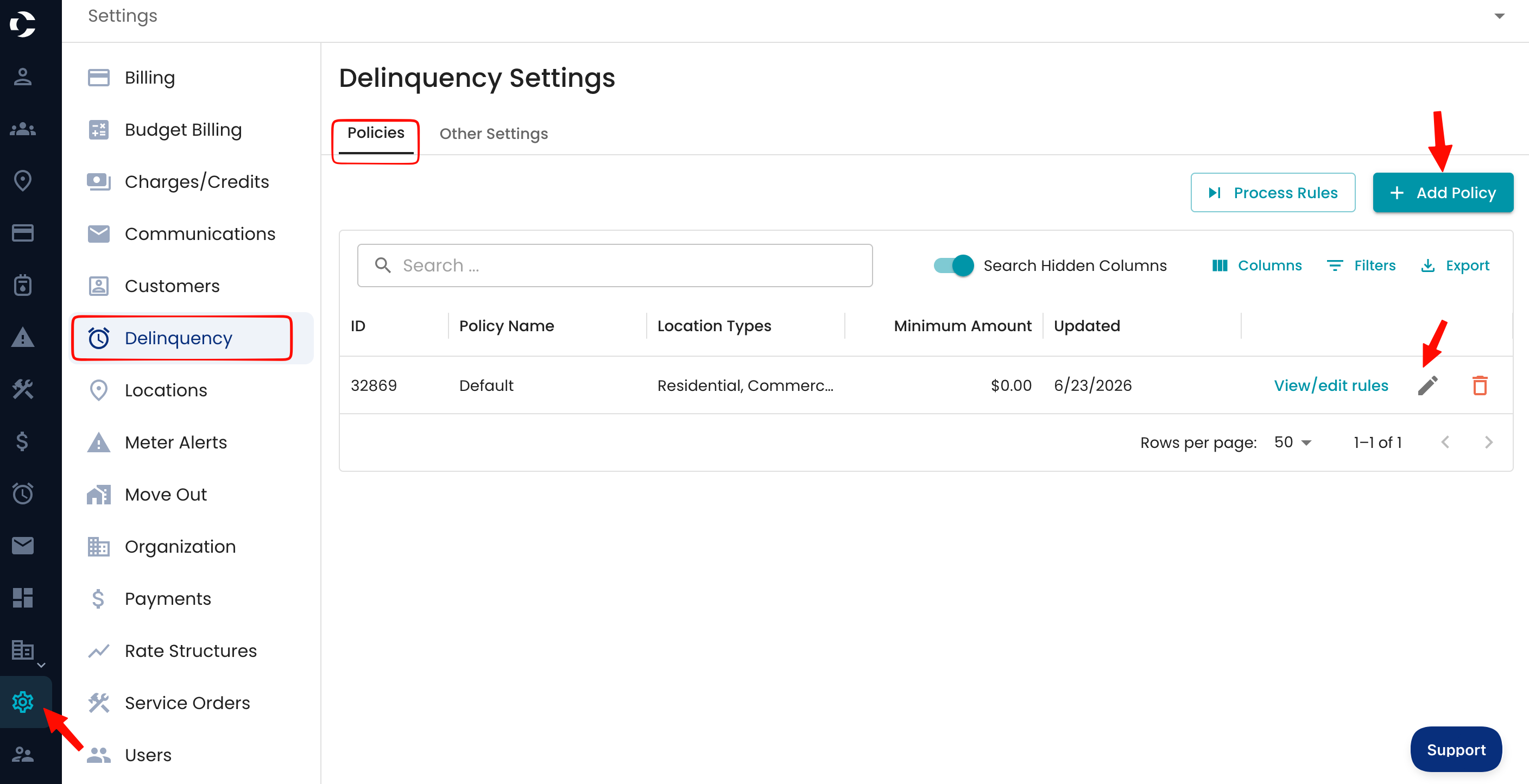
Rules are managed with View / edit rules on a policy. Each rule is one stage and has:
- Name
- Days Past Due: a guideline for when accounts belong in this stage
- Optional actions: a Fee (with an optional Service Type Filter, such as water only), a Paper Notice, an Email Notice, an SMS Notice, a Voice Notice and a Service Order
See How to Add a Delinquency Rule.
Stages
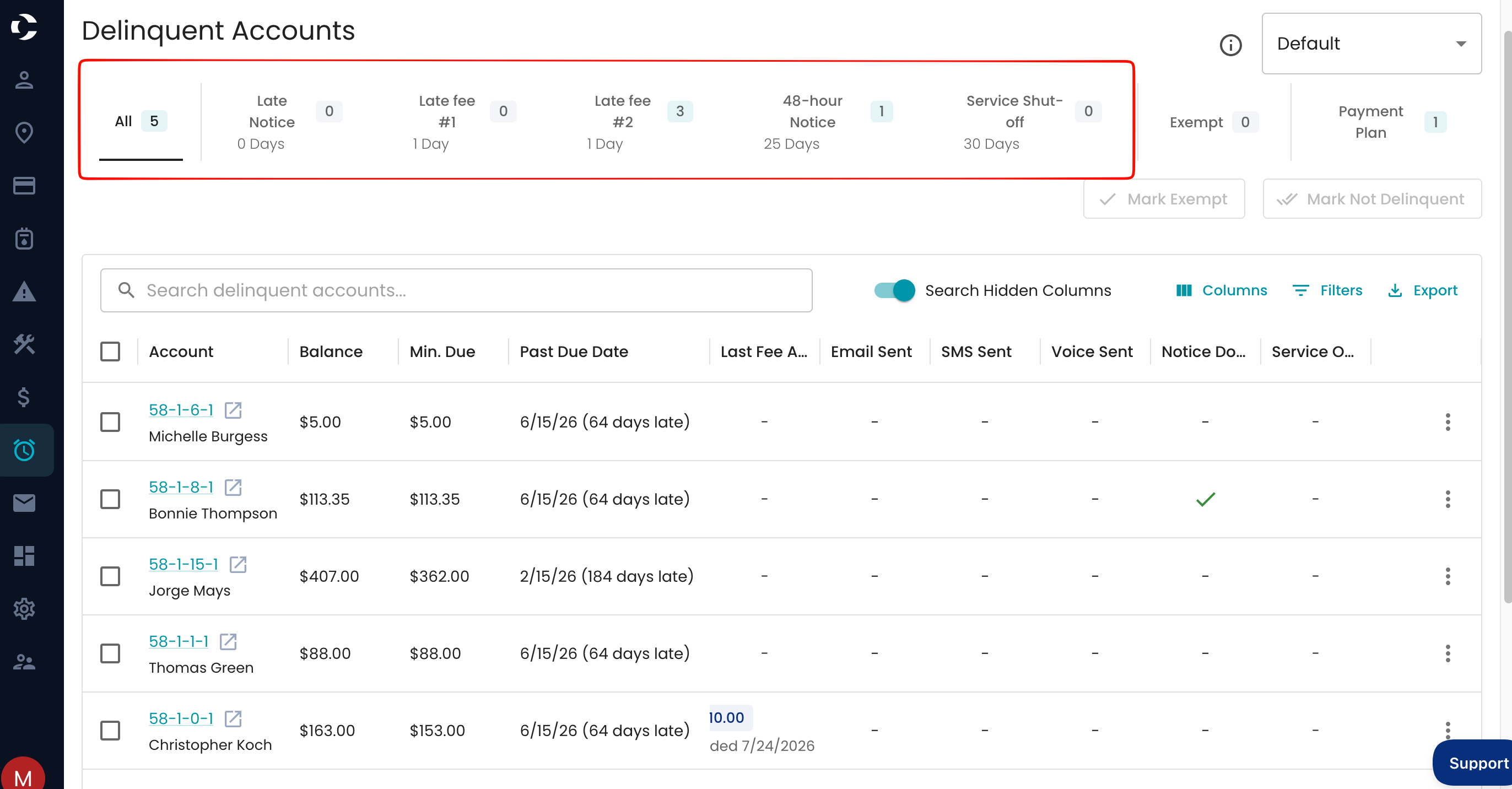
Once your policy is set up, the Delinquency app displays accounts that match the criteria. Accounts appear once they pass the first stage's timeline.
You can then decide to:
- Promote accounts to the next stage
- Take actions such as sending notices, applying fees, or creating service orders
To act, select the account(s) via checkbox then perform the desired action(s) via the buttons for fee, work order, email, or notice. This is also a good time to Promote an account to the next stage.
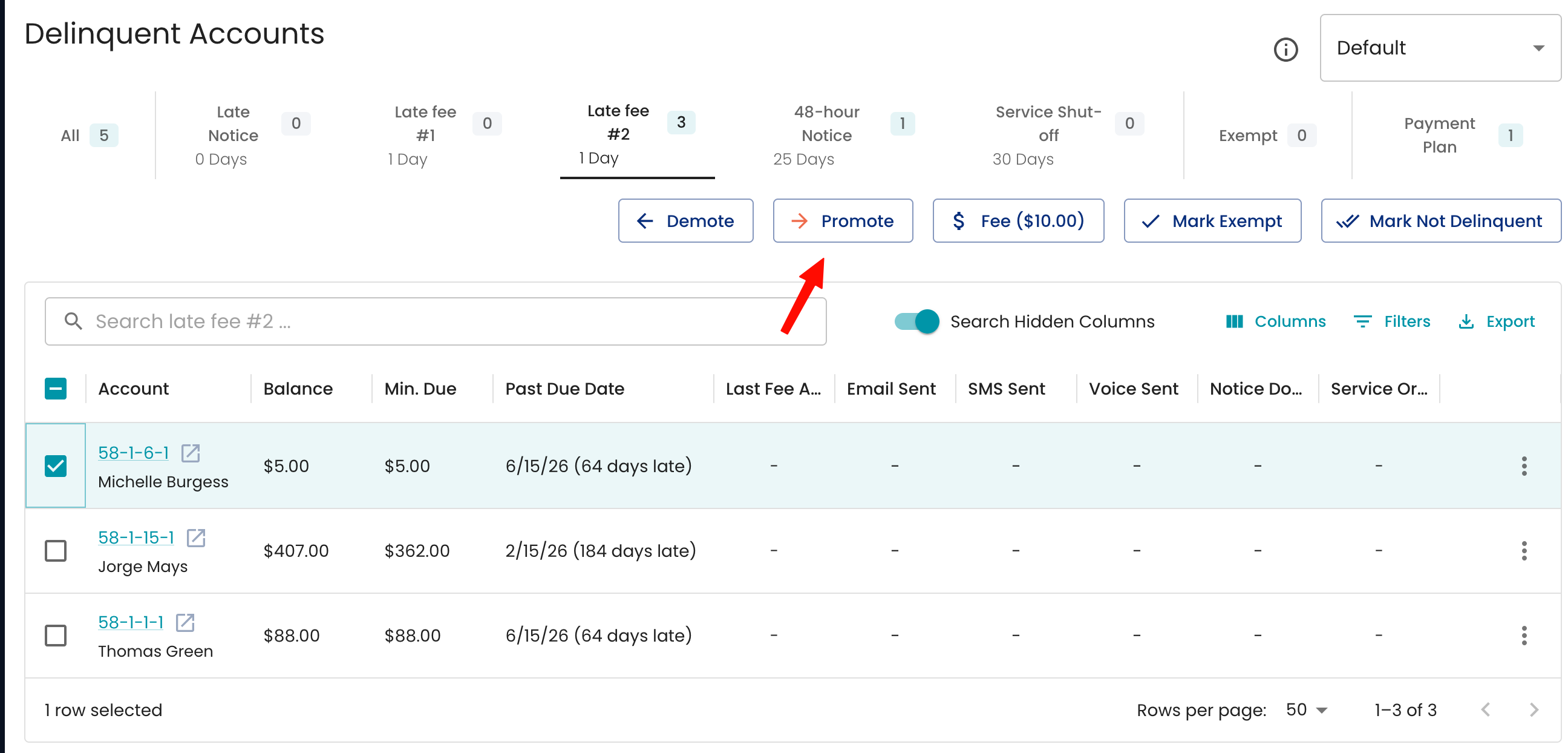
If a customer pays or a payment arrangement is made, use:
- Mark Not Delinquent - Removes the account from delinquency
- Mark Exempt - Prevents the account from appearing in delinquency again
- Payment Plan - Marks an account as being on a payment plan