Setting Transaction Subtype and Reporting Impact
How and when is a transaction subtype set
Every transaction in the system has both a type and an optional subtype. Transaction types are high-level categories (Payment, Fee, Credit, Deposit, etc.), while subtypes provide more specific categorization (e.g., "Late Fee", "Move-in Fee" under the Fee type).
A transaction subtype can be set in several ways:
-
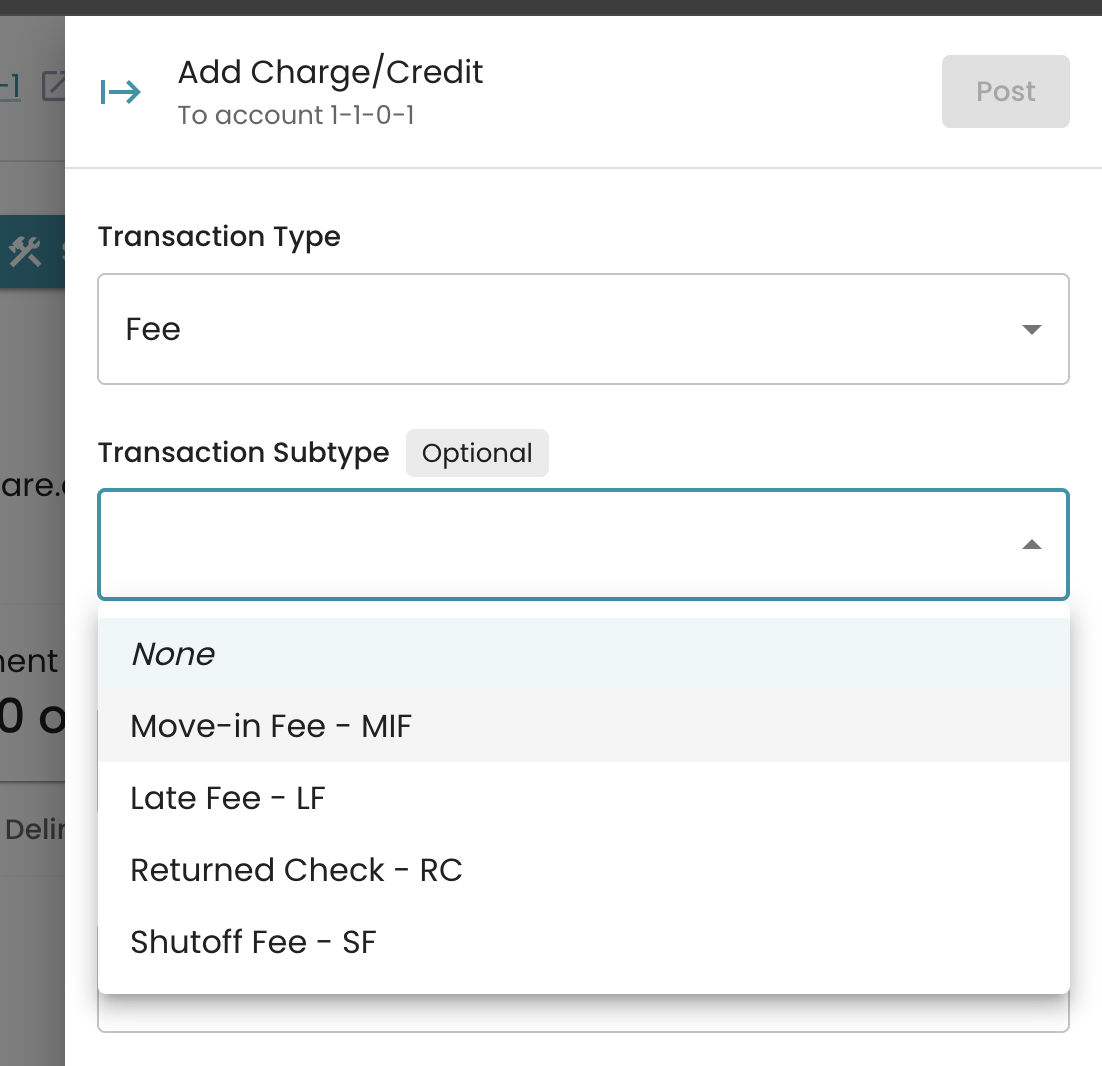
Manually when creating a transaction: When adding a charge, credit, you can select a subtype from the dropdown. This is optional - transactions can be created without a subtype.
- Automatically from automatic charges. When fees are automatically applied based on your organization settings, the system uses the configured subtype. For example:
- Move-in fees use the subtype configured in Move-in preferences
- Returned check fees, payment processing fees, and reconnect fees use their respective configured subtypes

- From billing cycle (through rate structure configuration): Transactions (Usage Charge, Tax) generated from the billing cycle can be assigned a subtype from the rate structure or the tax configuration.

The Transaction subtype can be changed after posting. A new confirmation warning will appear to confirm that the subtype is being changed.

Reporting Impact
Transaction subtypes are used throughout the reporting system to provide detailed financial breakdowns:
- AR Summary Reports: Transactions are grouped by both type and subtype, showing totals for each combination. This allows you to see, for example, how much revenue came from late fees versus move-in fees separately.
- Transaction Grouping: Reports display transactions with subtypes using the subtype label, and transactions without subtypes show the transaction type name. Archived subtypes are still included in historical reports to maintain data integrity.
- Payment Allocations: When payments are allocated to transactions, the system uses the subtype's GL code (if available) or label to categorize how the payment was applied across the different charges/fees.