Bill Template
To edit how the bill looks or add any further information you will need to navigate to
Settings> Billing>Bill Template
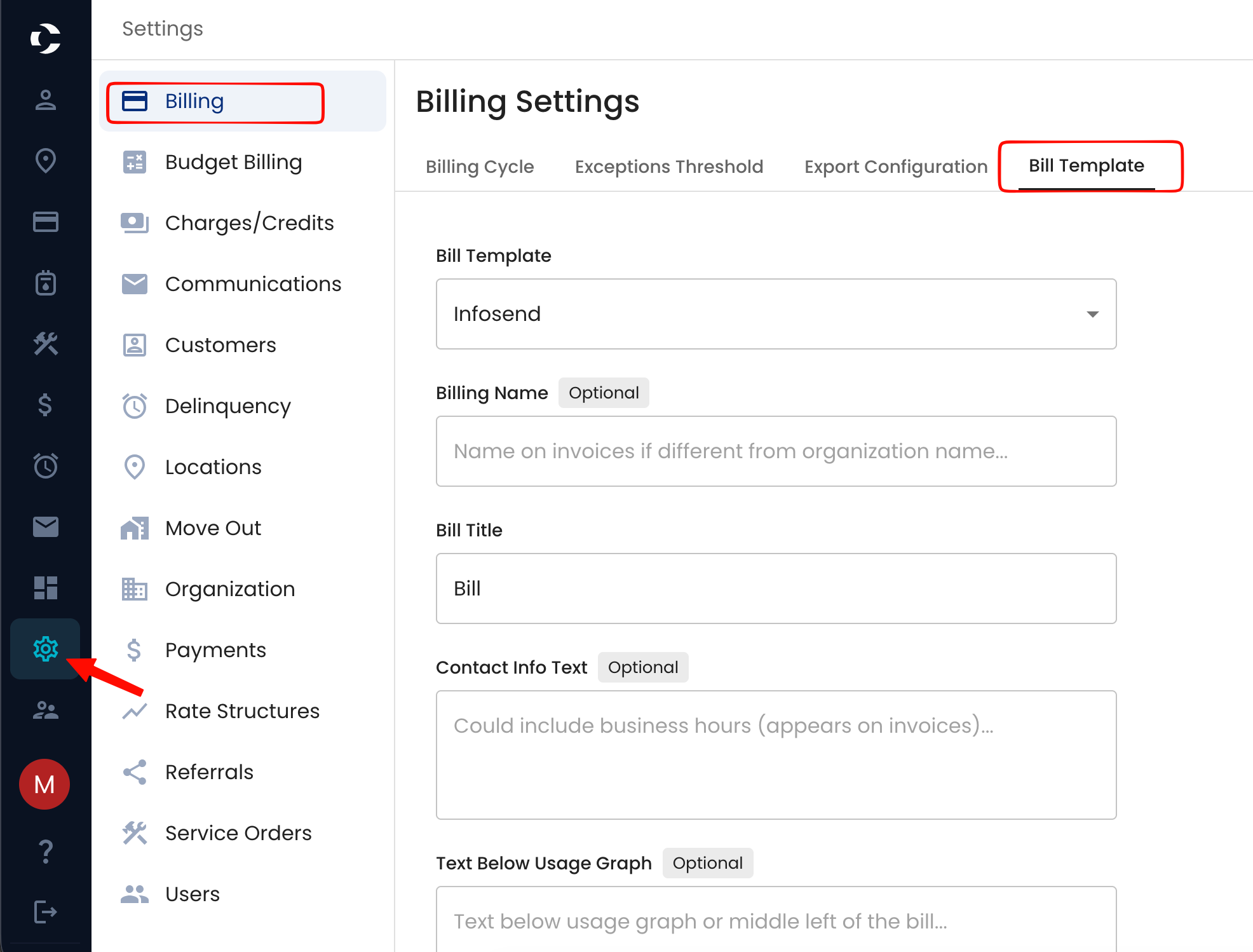
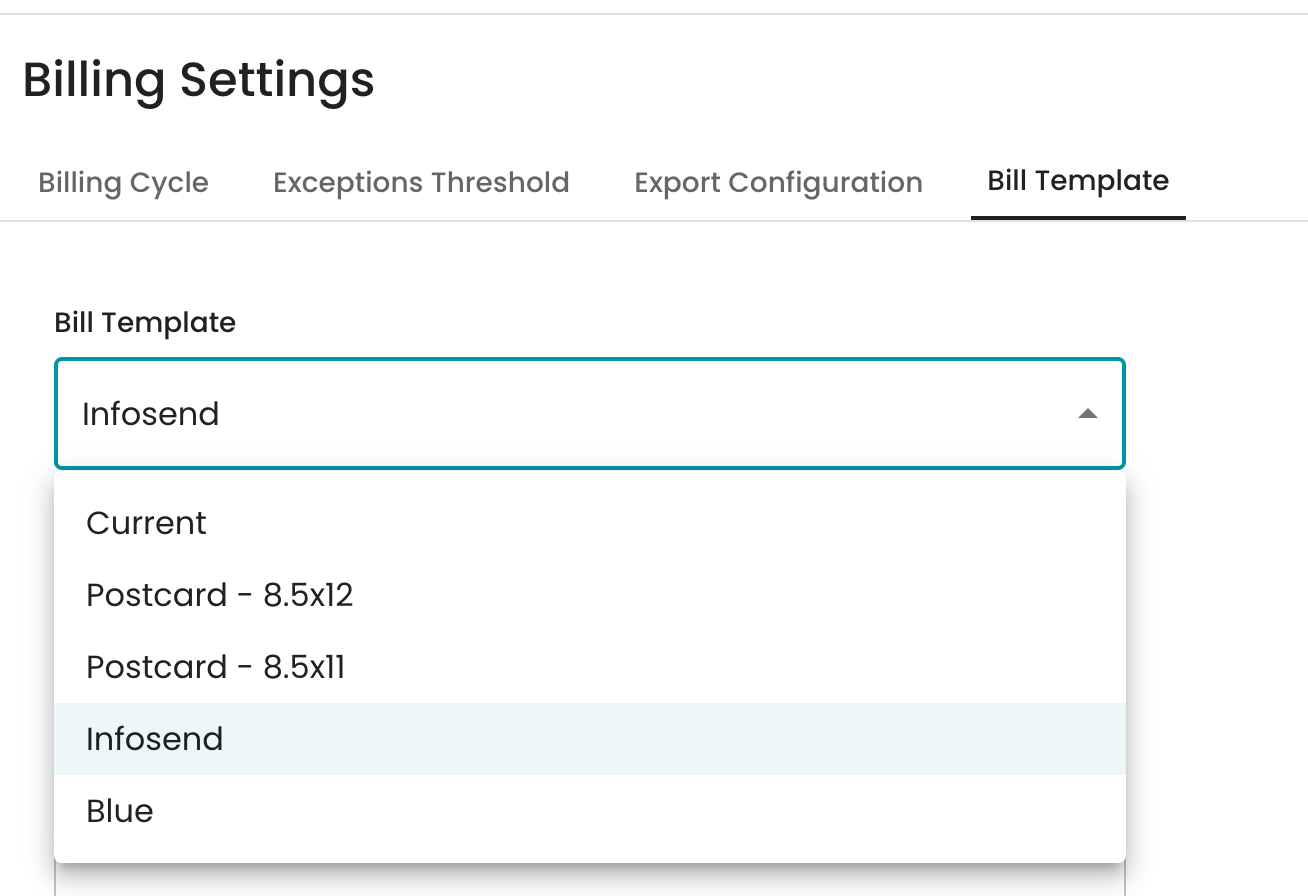
In the bill template area, the type of bill template is preset to your organization, but can be changed depending if you will start sending bills out through Infosend or the size of the post card.
If you would like for Infosend to send your bills for you, please reach out to support@currentsoftware.app to discuss the process.
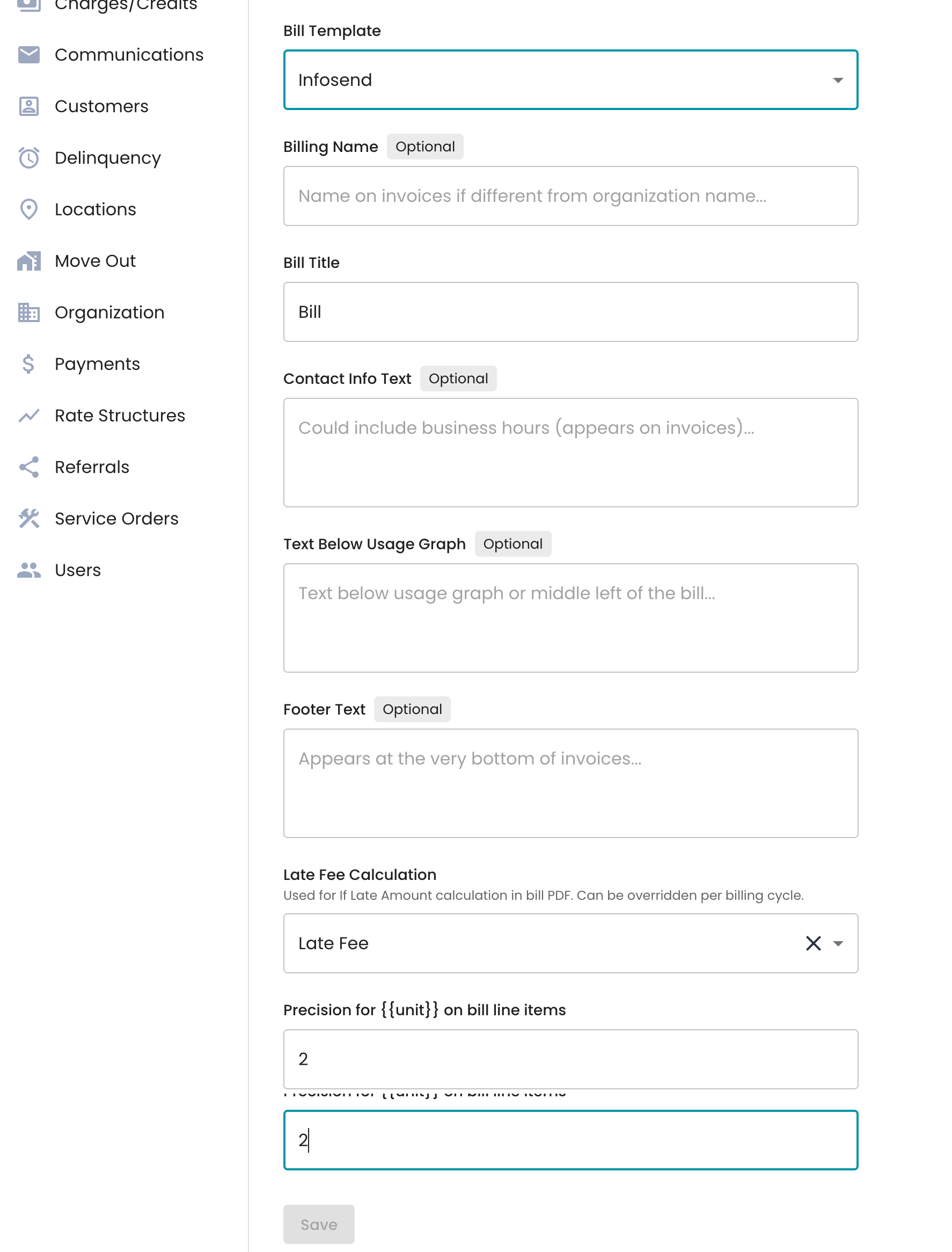
Next option for the bills is the billing name on invoices, if it is different from the organization name.
Bill title
Postcard Background Color ( if using postcard option) - Can choose from green, blue or Gray
Contact information
Text below the usage graph that can be included
Footer text will appear at the very bottom of invoices.
Configure the late fee charge for the “If late” section.
Precision for {{unit}} on bill line items