Customer Portal Banner
To add a banner to the customer portal to display announcements
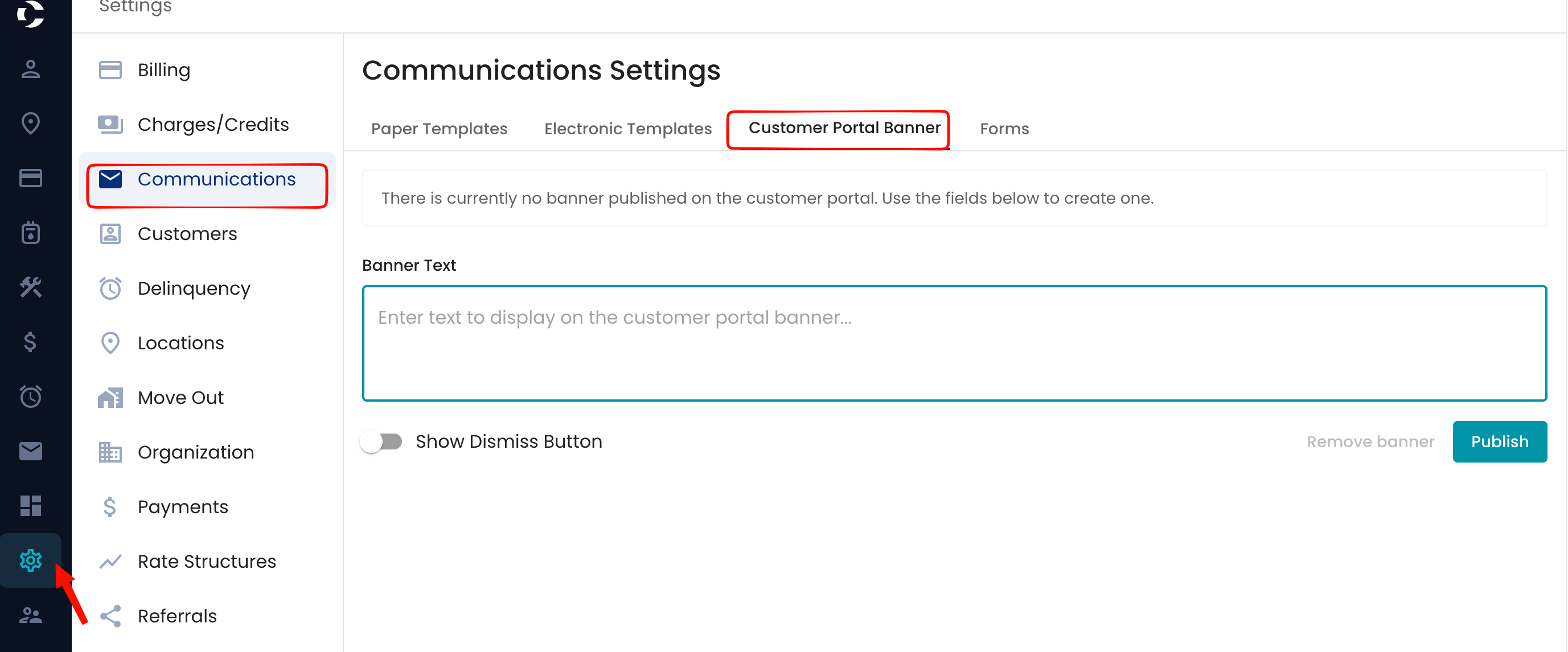
Navigate to Settings> Communications> Customer Portal Banner
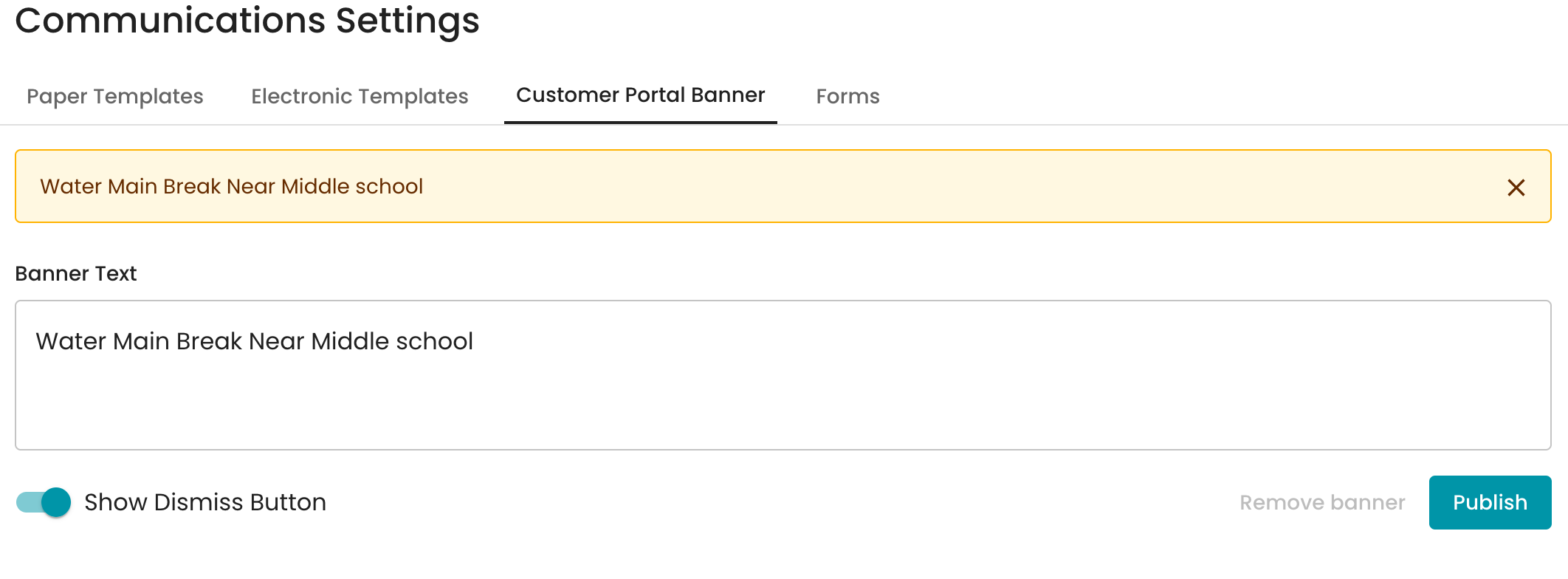
You will see the section to add banner text to all accounts, along with the option to include a dismiss button.
When the message is entered in the Banner text, it will simulate what the customer will see on their end.