Accessing Meter Information on a Location
Accessing Meter Information on a Location
This guide provides step-by-step instructions on how to access and view meter information for a specific location. It also explains how to edit the meter details if needed. By following these steps, users can easily access and manage their account's meter information.
1. From an account page, click the blue chip with the account's address to access the "Locations" page.
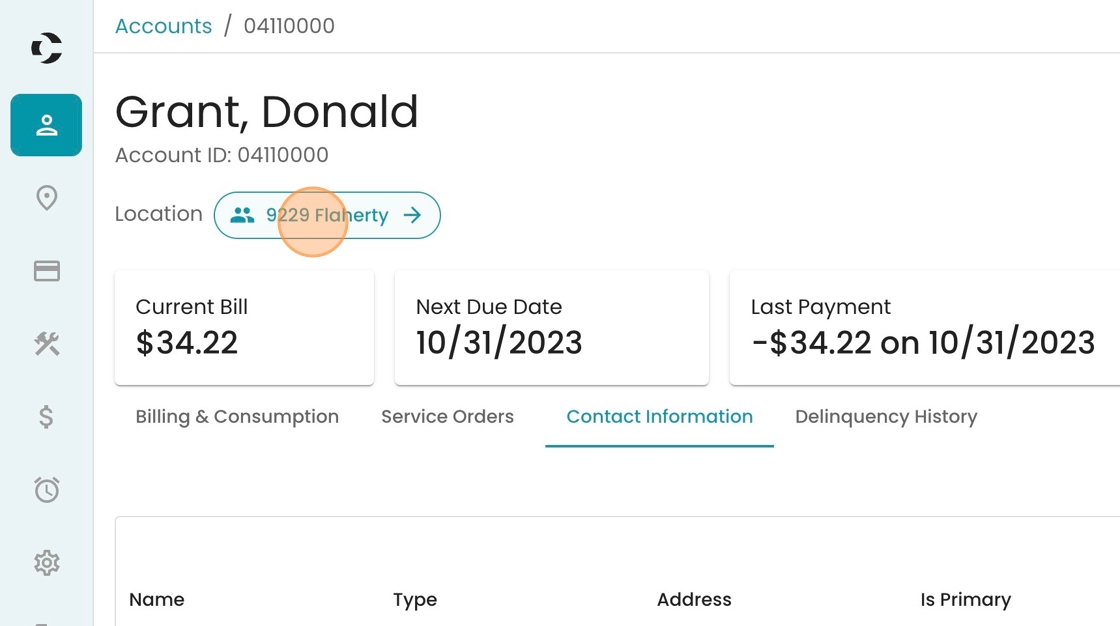
2. Click "Meters" to see the meter details.

3. To edit the meter information, click this pencil icon.

4. To close the drawer without making any changes, click this icon.

5. Confirm your choice by clicking "Close"
