Adding Fixed Water Service to a Location
Adding Fixed Water Service to a Location
1. Navigate to a Location Detail page.

2. Click "Services"

3. See the active services in this table. Right now we only see one.

4. Let's say we need to add a new service for a fixed ADU charge on the property. Start by pressing "New Service".

5. Select the Service Type

6. In this case, "Other" is most appropriate.

7. Now instruct the system if the service is metered or not.

8. Since this is a flat rate, we should select "Fixed". Note that if we select "Metered", the system will ask you to select which meter to associate with the Service.

9. Now select the Rate Code.

10. Find the ADU rate code, which we already have in the system.
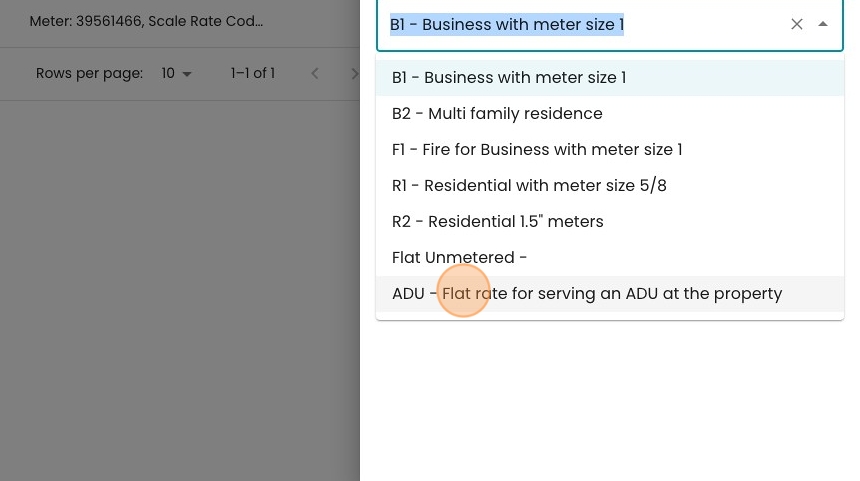
11. Here you can optionally toggle the number of units to apply. The default is one.

12. Let's say the owner actually has two ADUs on the property. We can increment this to "2" so that the owner gets two ADU charges per bill.

13. Click "Save"

14. Now you can see your new Service in the list of services!
