How to Export Route Sheets
How to Export Route Sheets
1. Navigate to the billing tab.
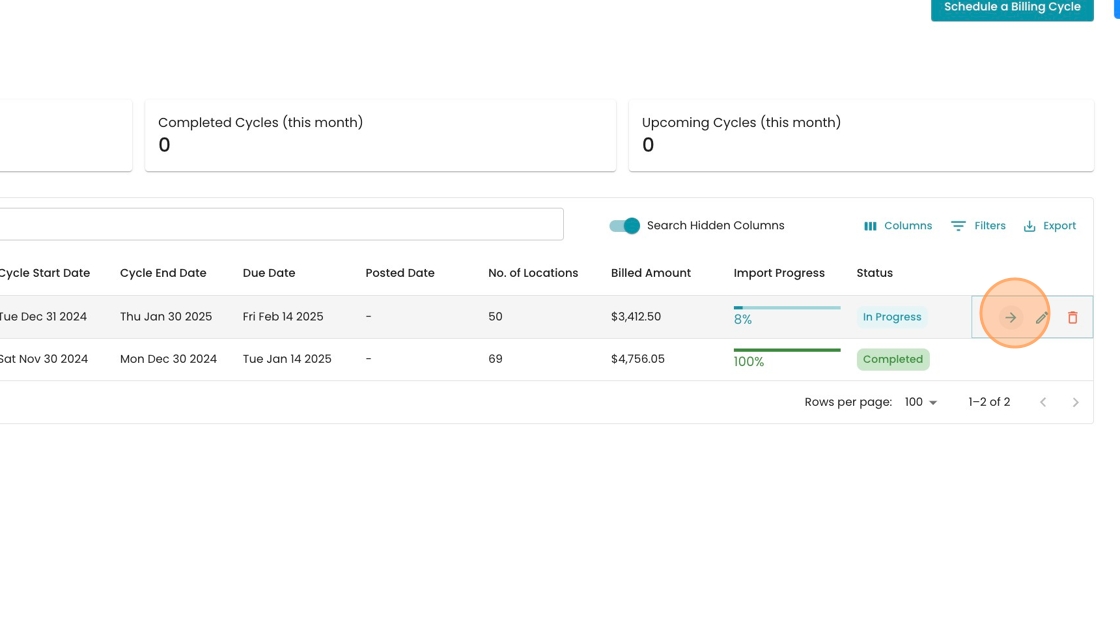
2. Click this icon to enter an open billing cycle (or double click the row)
3. Go to the "Import Data" step

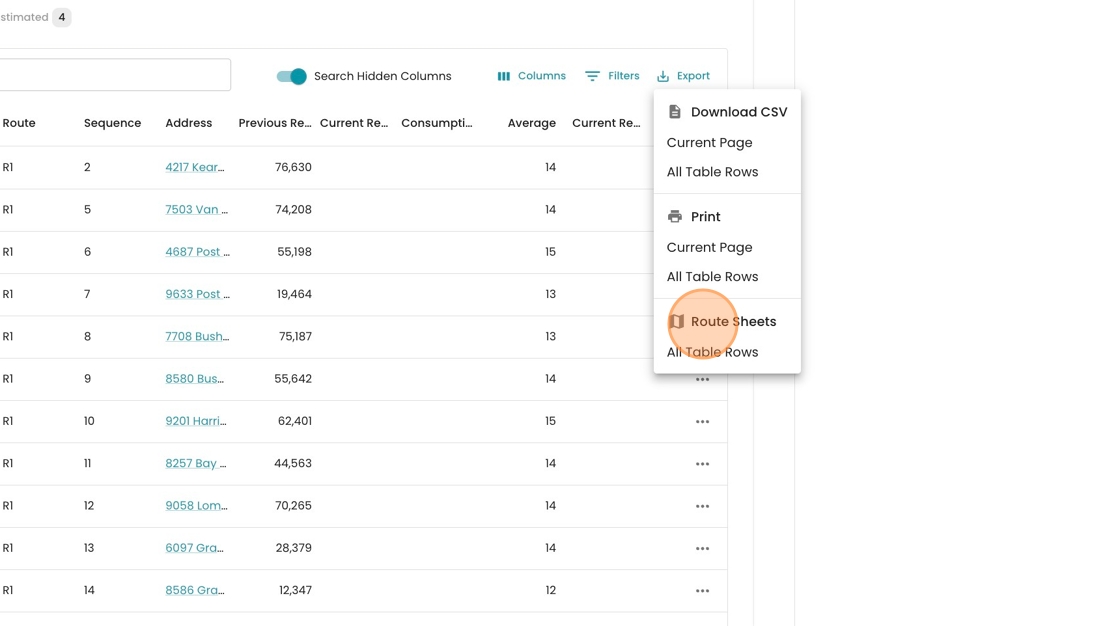
4. Identify the missing reads and click "Export"

5. Export "All Table Rows" on the "Route Sheets" option. Your route sheets will be opened as a PDF in a new tab.