Add a Fee to a Delinquent Account
Add a fee to a delinquent account
This guide provides step-by-step instructions on how to add a fee to a delinquent account. By following these steps, you can easily add a fee and keep track of all the accounts with fees. This guide is essential for anyone looking to manage and maintain accurate records of delinquent accounts.
1. Click "Delinquency" in the left-hand menu
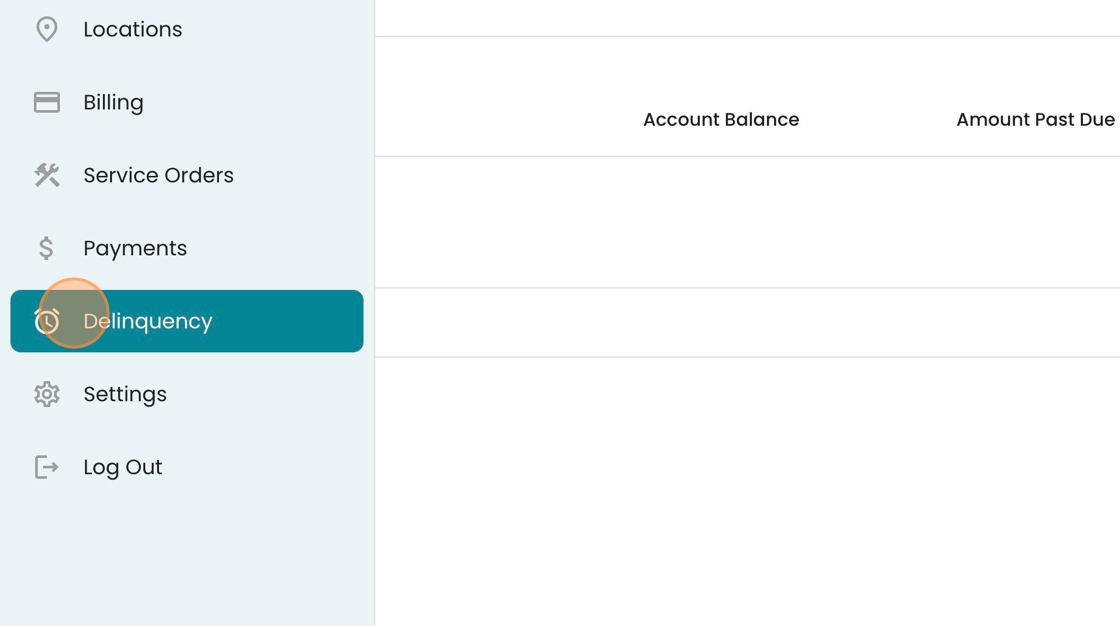
2. Click on the "Late Fee" tab to locate your delinquent accounts.

3. Select the 3-dot menu for the account you want to add a fee for.

4. Select "Fee" from the list of options.

5. Optionally, if you want to add a comment, do so in the "Comment" field.

6. Click "Save"

7. To see the accounts with fees (including the one you just added to), you may sort by "Last Fee Added"

Note: Fees must be added this way - they are not automatically added by the system.