How to Update Default Billing Settings
How to update default billing settings
This guide provides a quick and easy way to update the default settings like due date for billing cycles. By following these simple steps, you can customize billing defaults to better suit your needs.
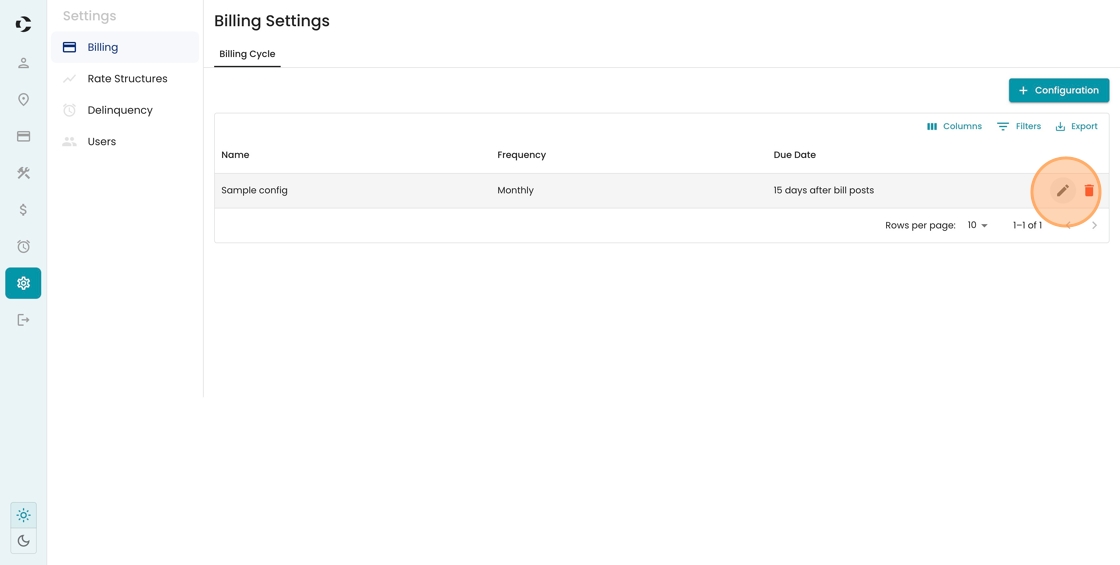
1. Click Settings from the left-hand menu.

2. Identify the billing cycle you wish to update. Click the pencil icon to edit the default settings.
3. See here for a list of settings to update, including:
- Frequency
- Bill Due Date (day of month)
- Routes (that are assigned to this cycle)
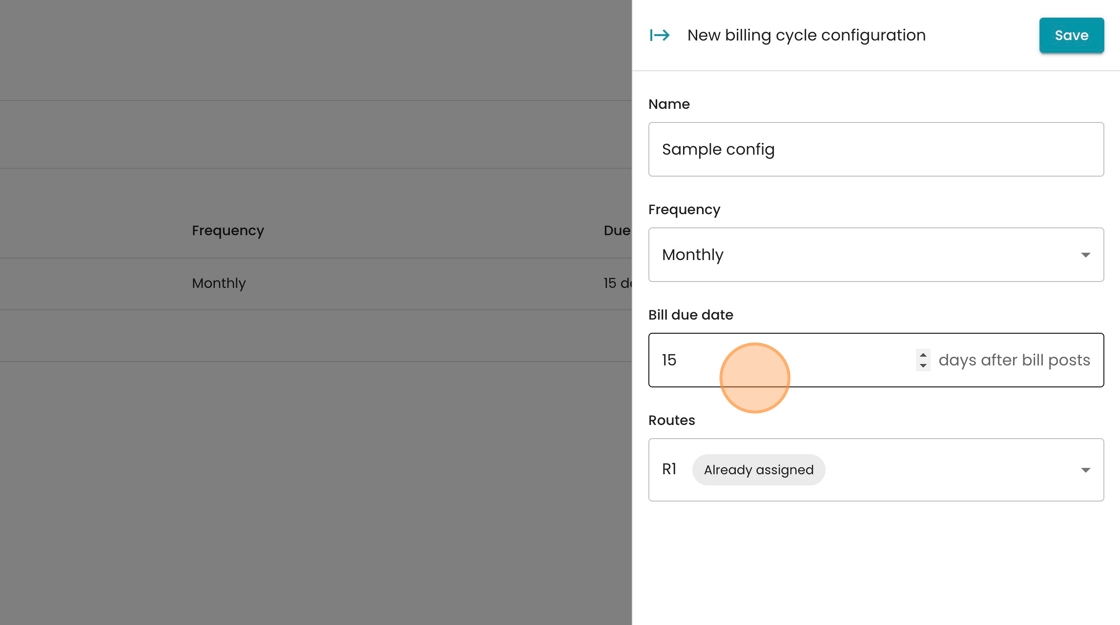
4. In this case, you can change the default due date to 21. Click "Save" to finalize your changes.
