Before You Post Your Bills
Before you post your billing cycle, there are some areas you should make sure configured correctly.
Completing Steps
Before bills can be posted, the billing cycle must be ready. This means that all required meter readings or estimates are complete, any exceptions have been resolved, and all bills have been generated successfully.
Tracking-only and inactive-service locations do not require a reading when they are excluded from the billing cycle before you can select Complete & Post Bills.
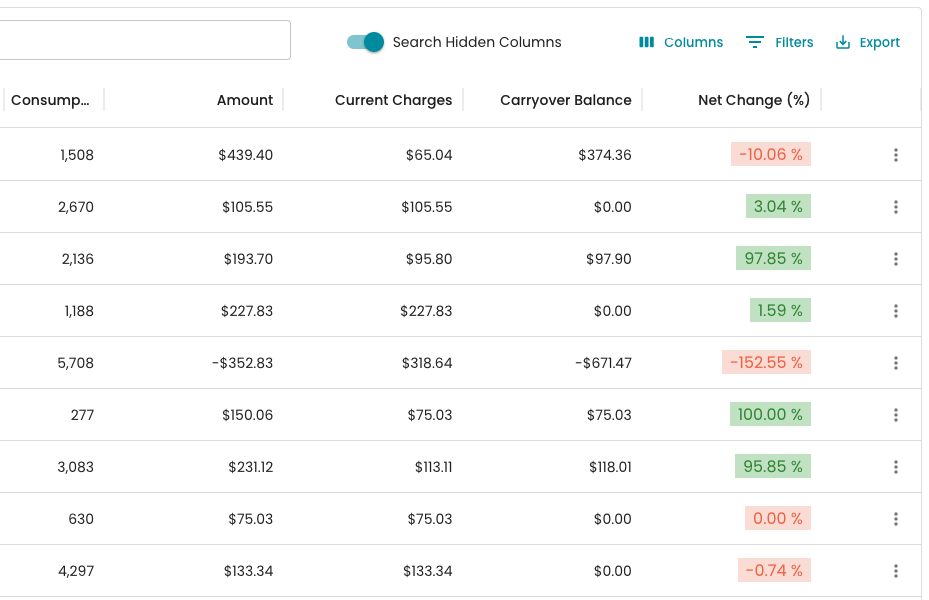
While no action is required on Review Bills, it is worth the effort to manually review some bills in before posting. It is much easier to correct issues before the bills are posted. Review columns like Amount, Current Charges, Carryover Balance, and Net Change (%) to catch any abnormally high or low bills.
Announcement
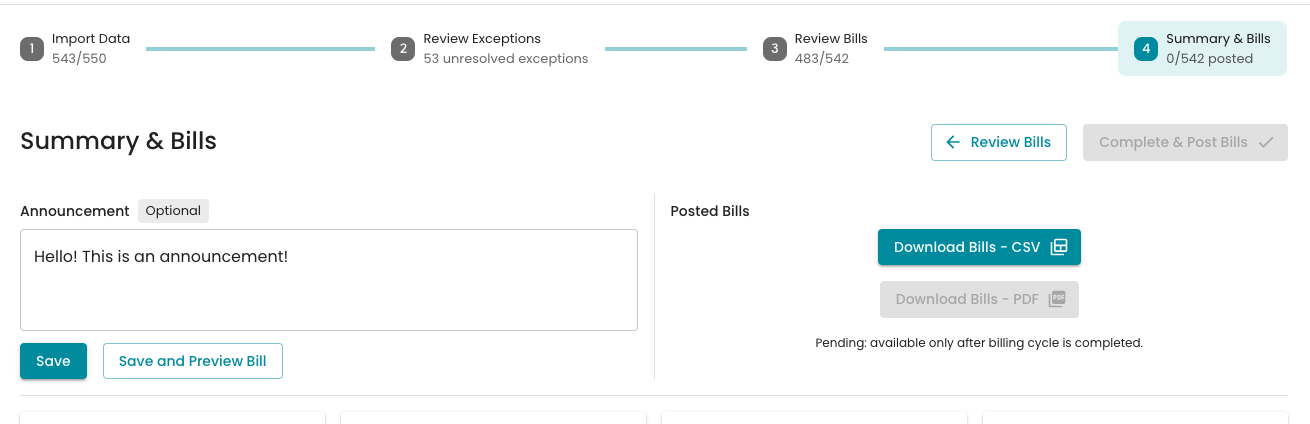
An announcement is added on the last page of the billing cycle and can contain any information you want to appear on the bill. Remember to Preview (or Save and Preview) the announcement. There is a 430-character limit, but the text automatically resizes, including next to a QR code.
Fees
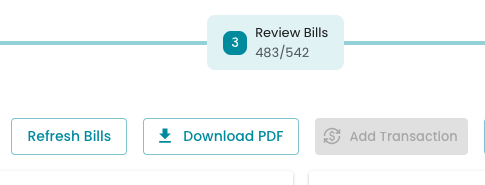
If you apply any fees (Late Fee, Paper Billing, etc.) which need to appear on the bills, ensure to do so prior to posting. Once the fees are added to the account be sure to "refresh bills" on stage 3 of the billing cycle.
Rate Structure Setup
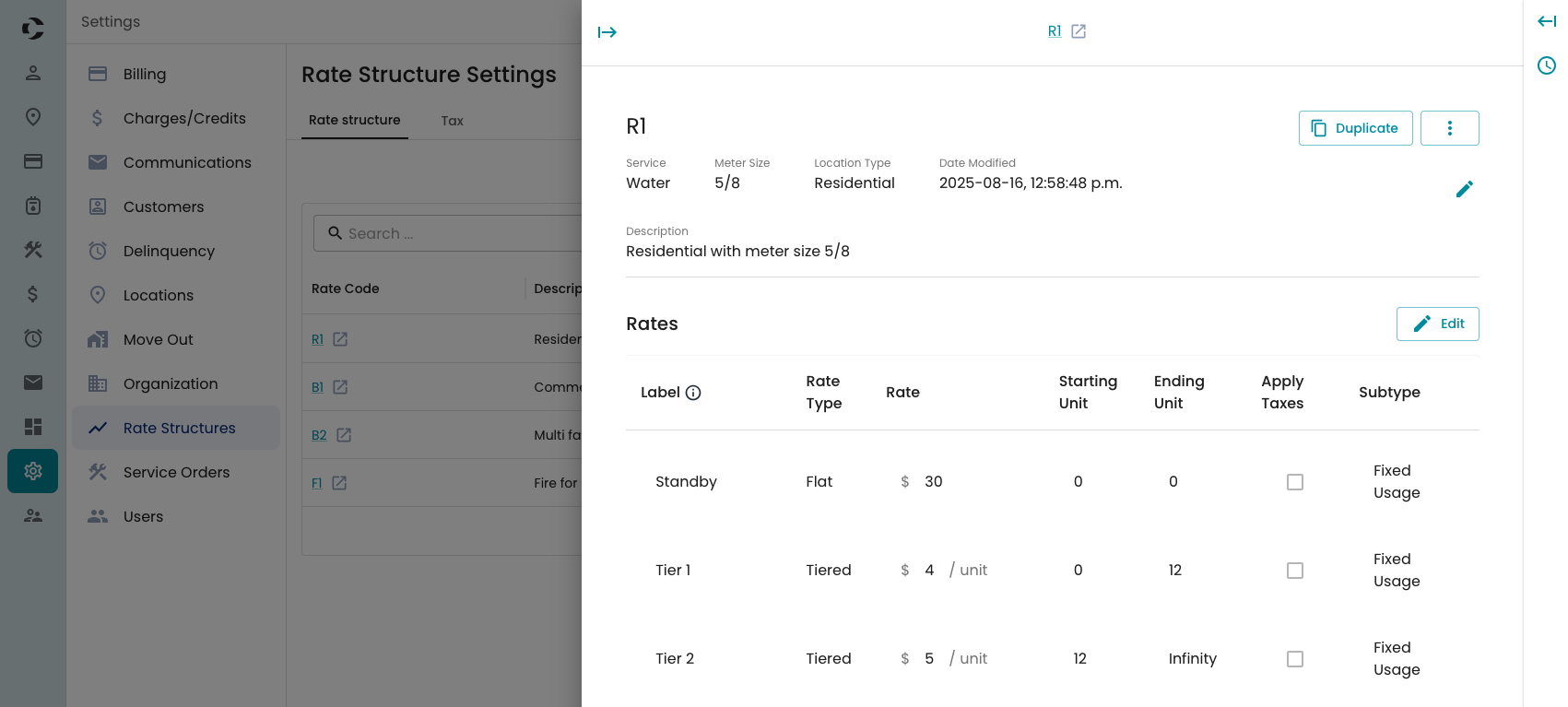
Ensure your rate structures are configured properly. Generally, pricing and tiers should be configured during onboarding, however Label and Subtype of each of the tiers is highly organization dependent.
- Label determines what shows on the bill, and what shows on the account's transactions page
- Subtype is used in reporting for further categorizing transactions. Depending on your reporting needs, you may wish to add 1 subtype for all "Water" tiers, but separate "Garbage Residential" and "Garbage Commercial". Subtypes can be added on the Charges/Credits settings page.
Ready?
Once you are satisfied with your configuration, you are ready to post.
- On Stage 4, Summary & Bills, you will see the button for Complete & Post Bills. If it is not enabled, it is due to missing data or unreviewed exceptions.
- Once you select Complete and Post, you will get a pop-up with a summary of the review and showing individual results under each check, showing a "flag" icon if the check caught anything.
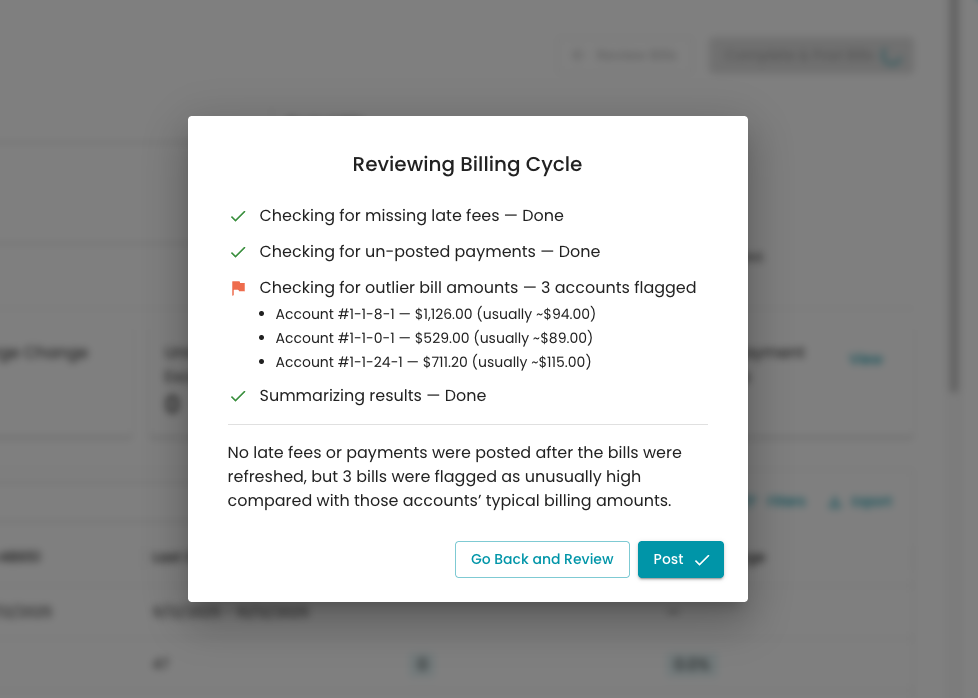
Once you acknowledge and post, the bills will start posting to the accounts. This can take a a minute.
Once posted, Current will start generating the PDF / Downloadable paper bills. This can take several minutes. When completed, you will see the Download Bills - PDF activate. If the process appears to get stuck, try refreshing your browser window.
After the bills have generated, you can download, print, and mail your bills!