Mark An Account Exempt
When marking an account exempt, the account will not be pulled into the delinquency process until its been removed.
This process can be done in two ways: the Delinquency Dashboard and through the Account
Via The Delinquency Dashboard
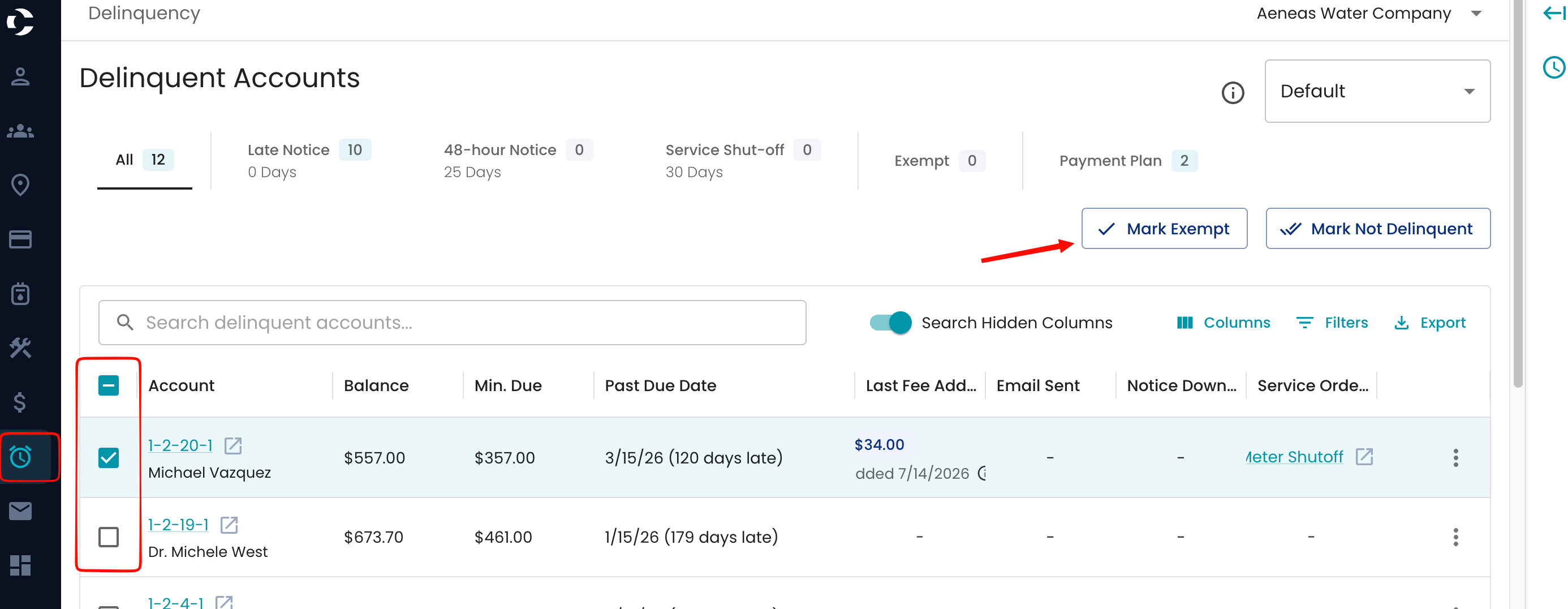
Navigate to the Delinquency dashboard
On any step of the delinquency process, select the account or accounts.
Select Mark exempt
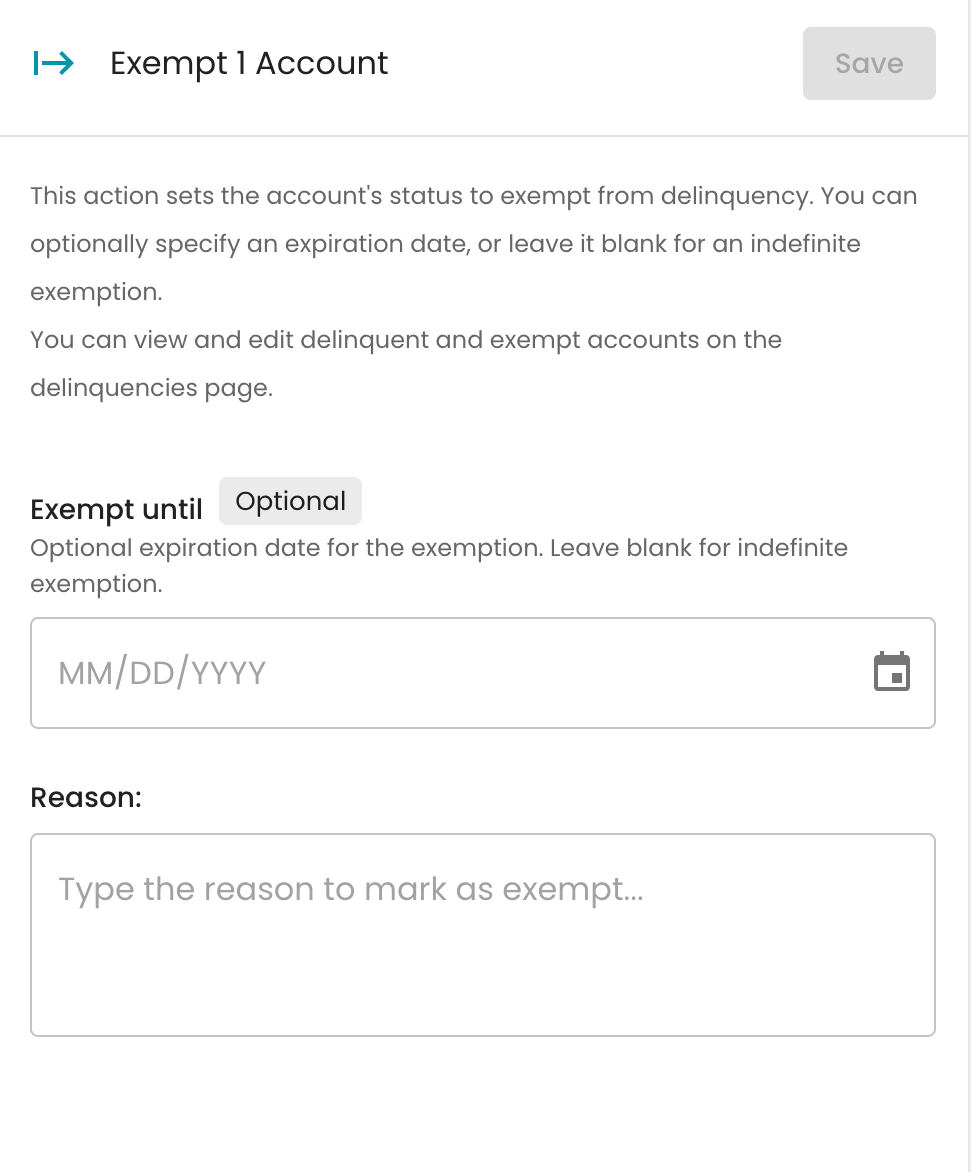
You will be prompted to select an Exempt until date, which will automatically place the account ineligible to be delinquent after the chosen date.
Alternatively, leave it blank, and it will remain exempt until it is manually removed from the account.
Via The Account
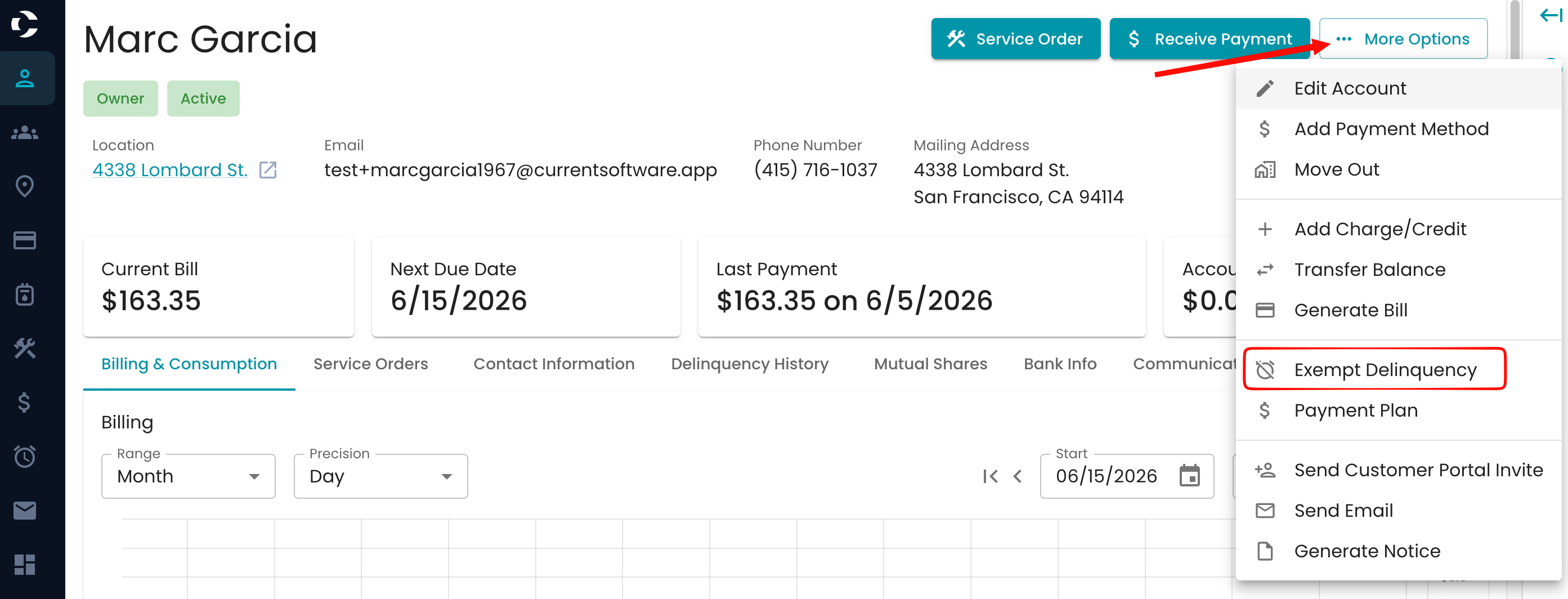
Navigate to the account that needs the exemptions.
Select More Options.
Enter the exemption until , or leave it blank.
View The Exemption
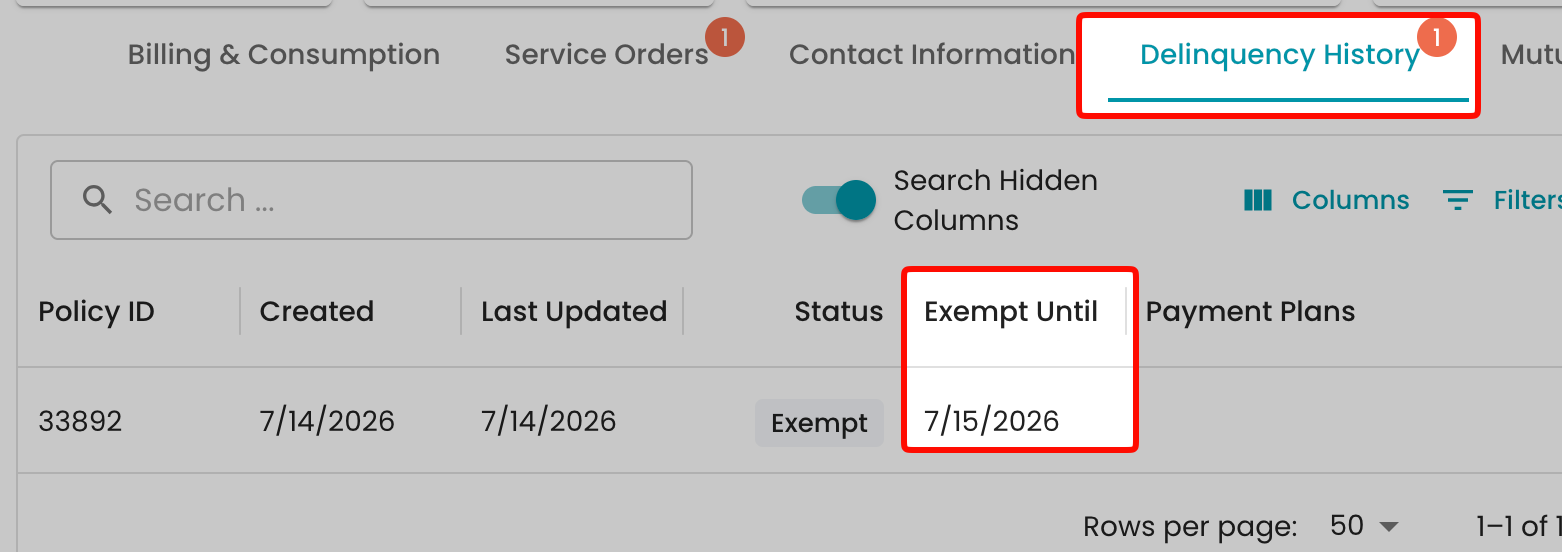
The delinquency can be seen in the account delinquency history.