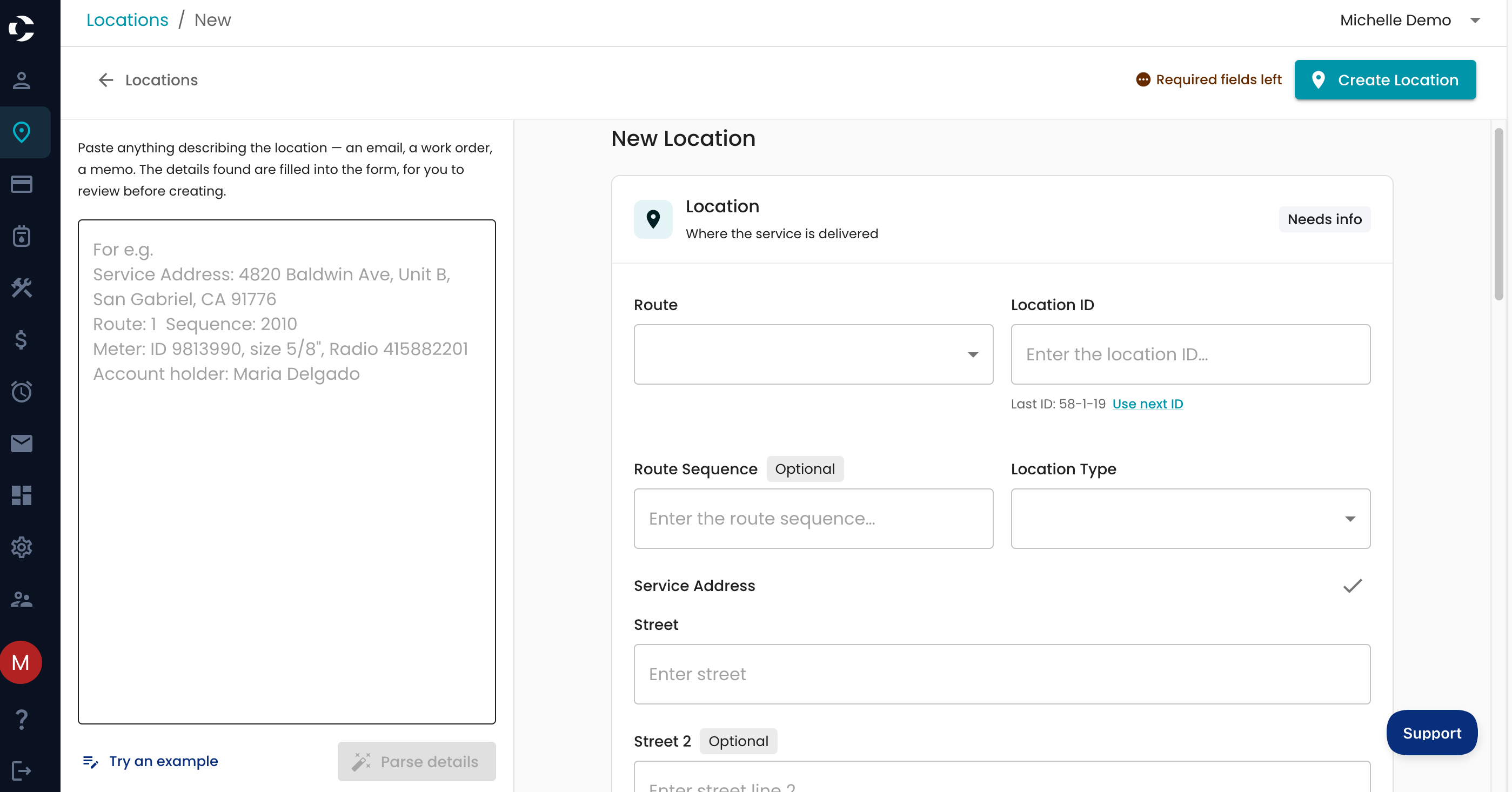
Quick Add A Location
To Quick add a location
Navigate to your location tab> + Location > Select Quick Add Location and Account

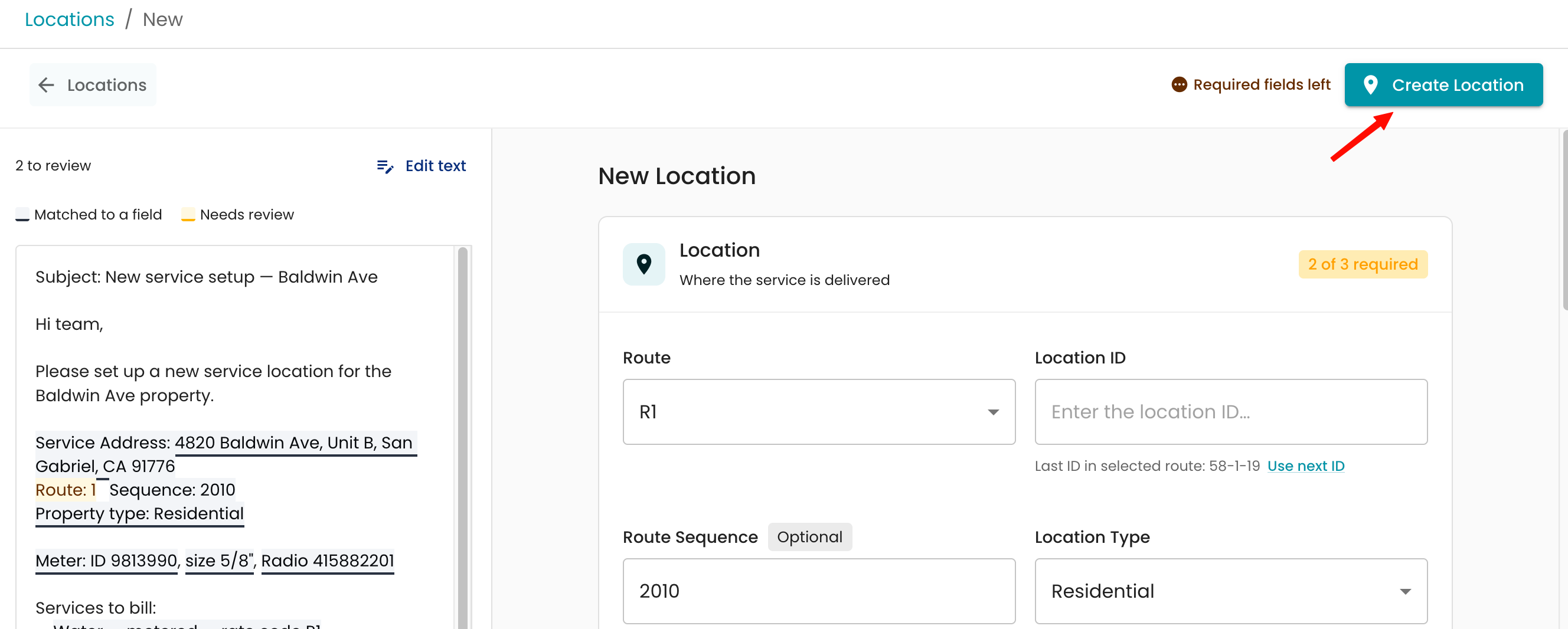
You will then see the Quick Add Location screen, where you can enter any information you have related to that location and account, as well as associated meters, radio, and account information.
Tip: You can try an example on the lower left to get an idea of how it works.
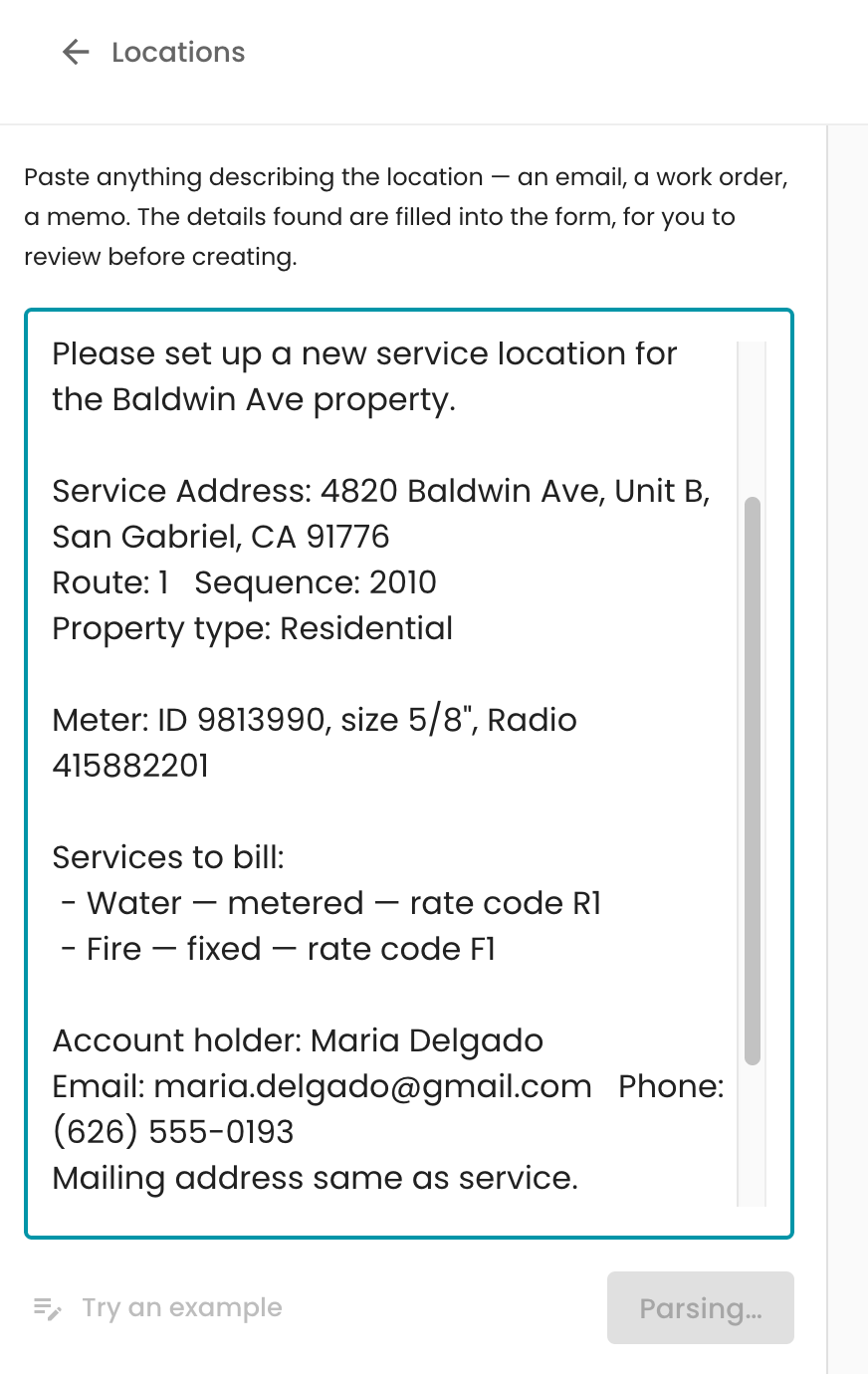
Example of a prompt
The outcome of that prompt
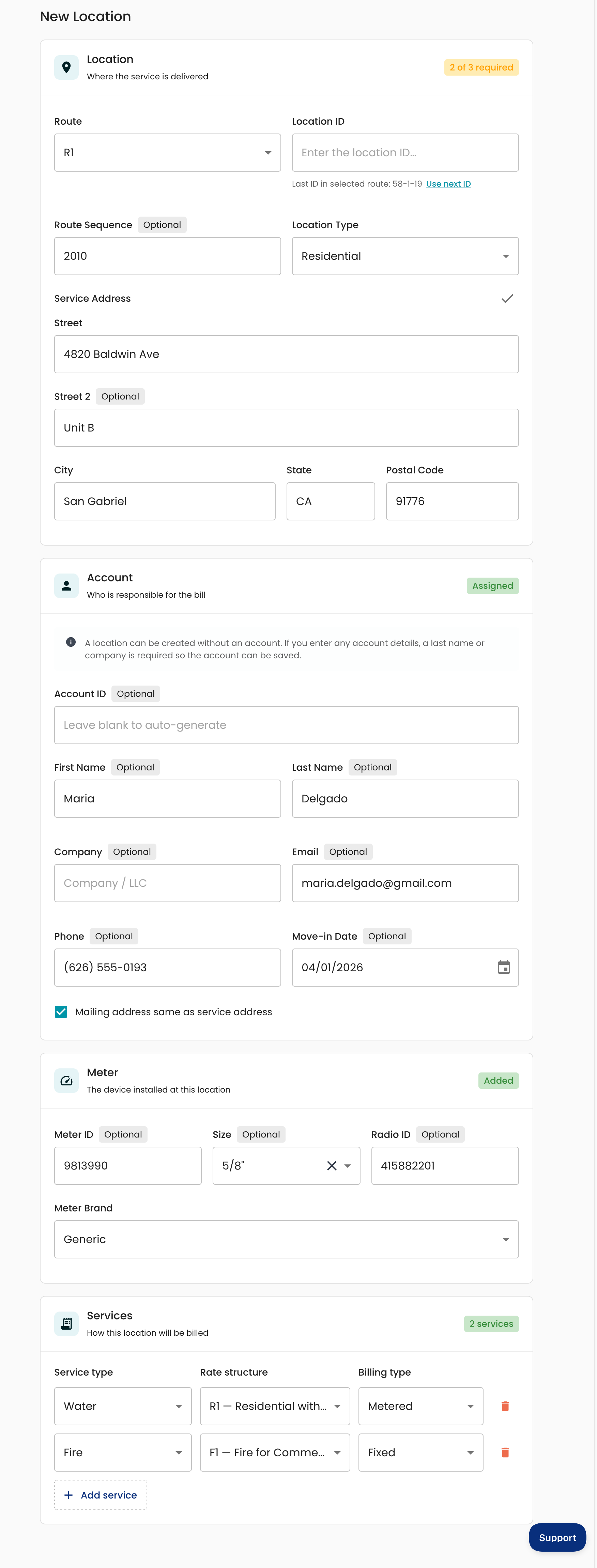
The information can always be edited before completing if anything is missing, or you can go back and edit the account and location separately as well.
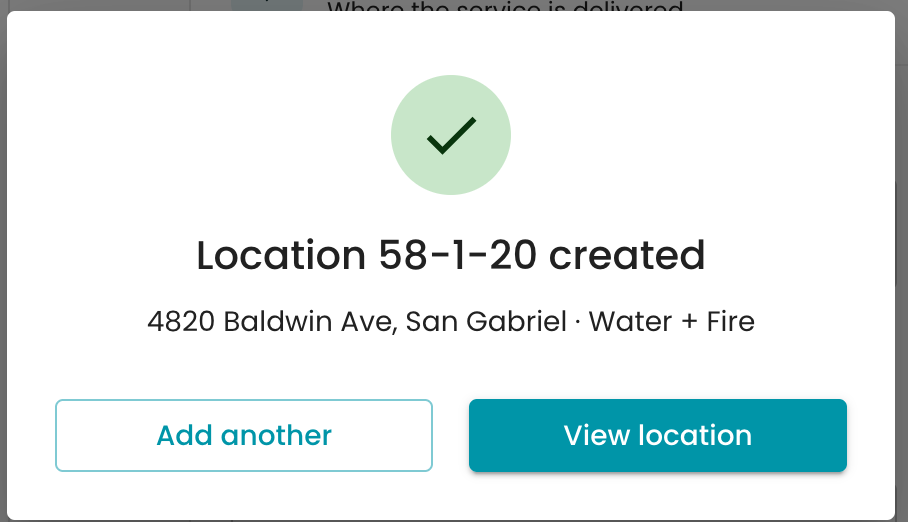
Once completed, select Create Location at the top.
A confirmation message will appear when it is created, and you can view it directly in the system afterward.