Add Transactions In Bulk
To add a transaction is bulk to needed accounts
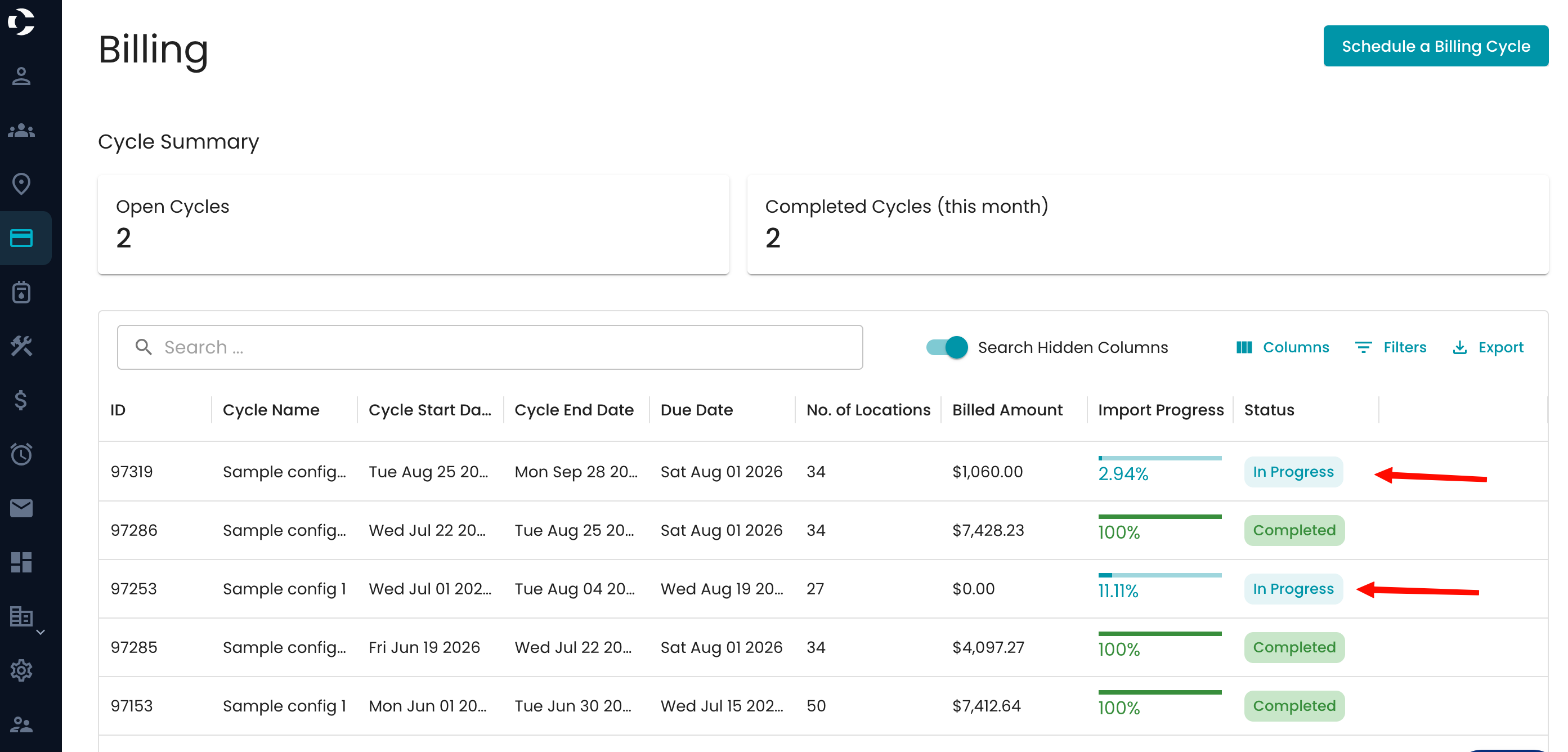
Navigate to your billing cycle in progress
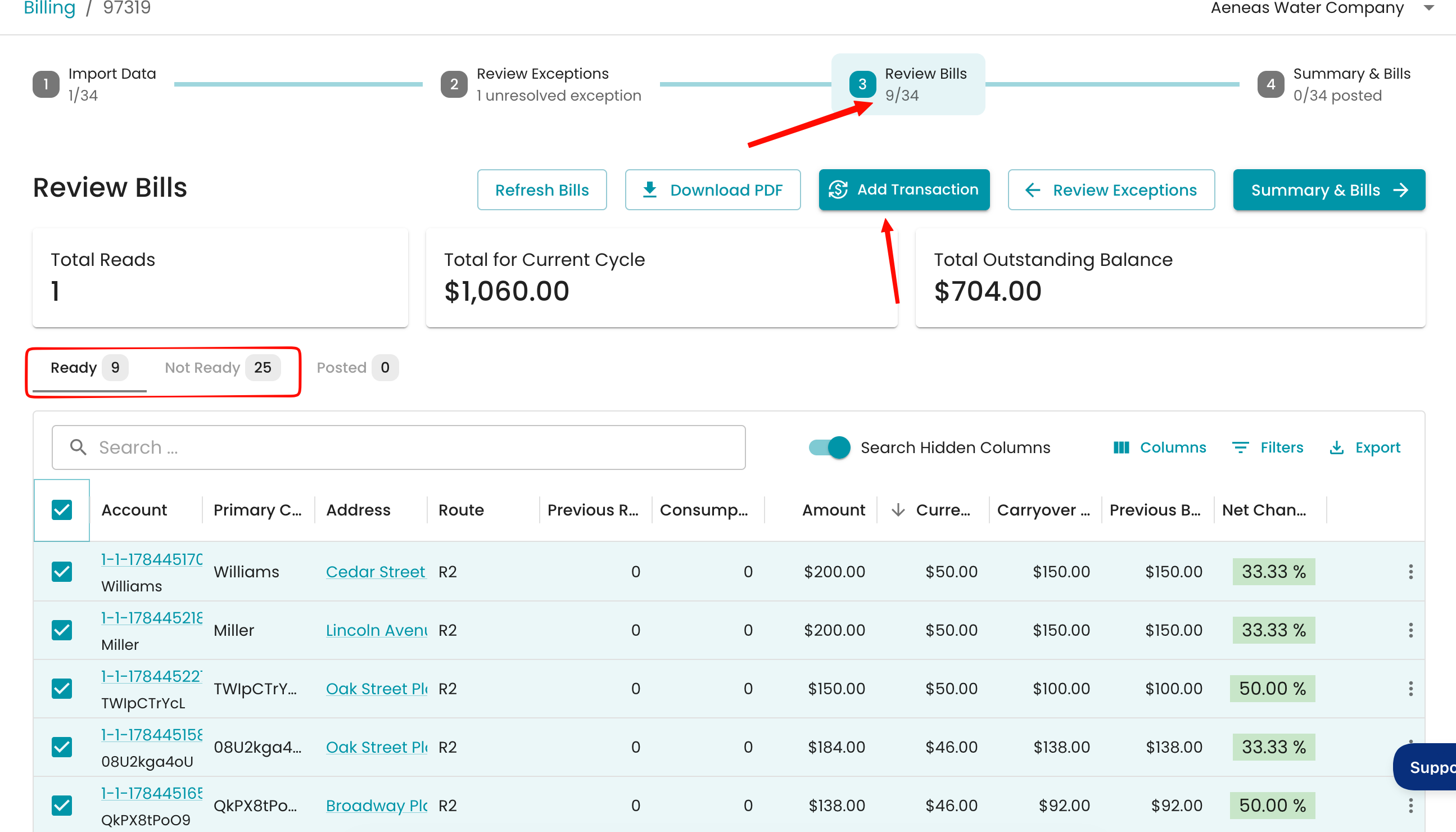
Go to your 3rd step—Review bills > Select the accounts in ready or not ready > Select Add a transaction
You will review the options for what the transaction will be for the selected accounts.
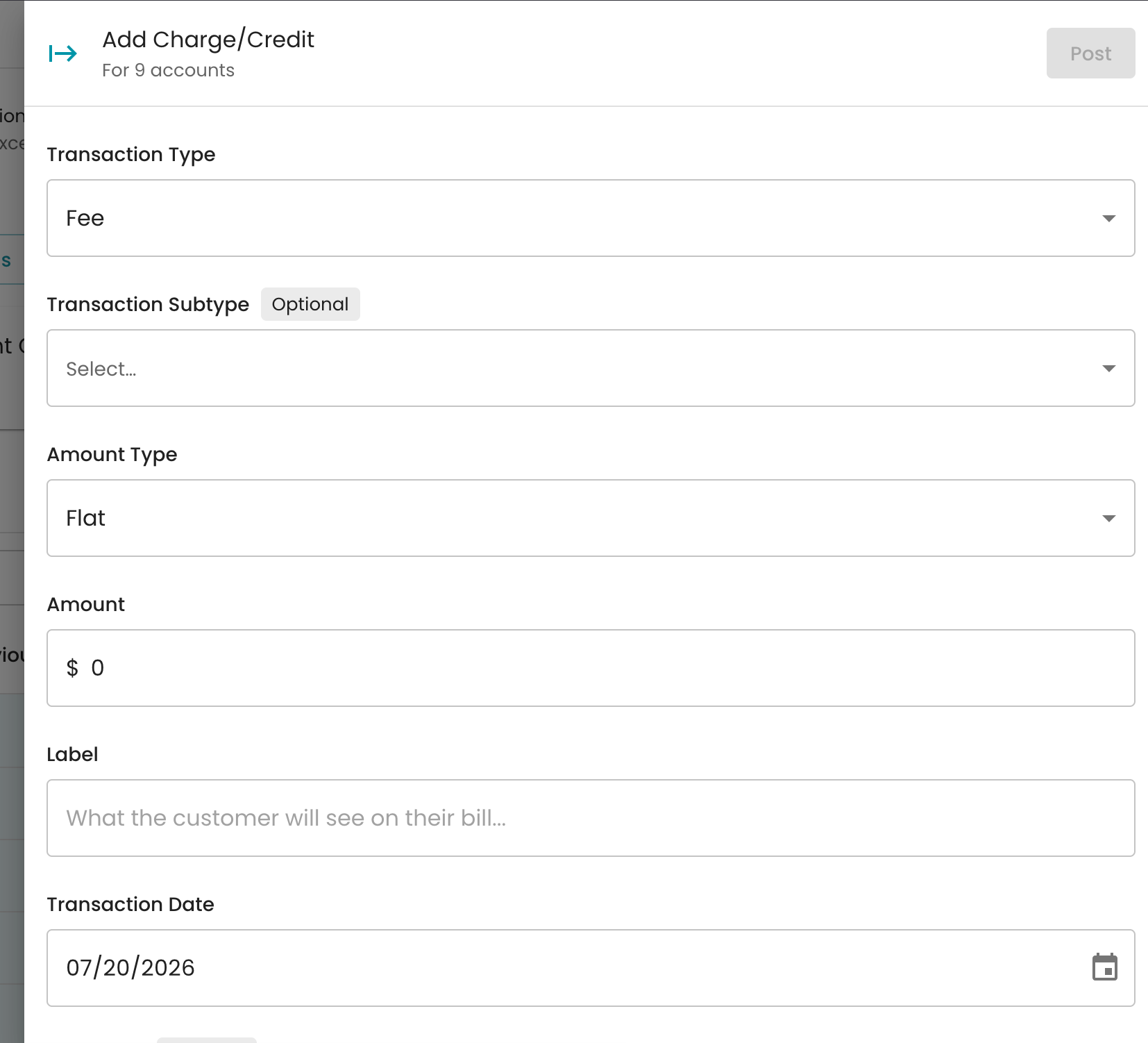
Select the post when it is done, and the accounts will now have the transaction added to their accounts.
Remember to select Refresh bills at that step to refresh your bills after any modifications.