Bulk Undo Delinquency Fees
Bulk undo reverses a batch of late fees you added from the Delinquency page in one step. Use it when fees were added by mistake, for example to the wrong accounts, with the wrong amount, or twice.
It only undoes fees. Accounts stay at their current delinquency stage, and any notices or service orders are unaffected.
When you can undo
- Admins only. Other users won't see the Bulk undo option.
- Fees only. Only fee transactions from that activity are undone. Anything else is listed as excluded.
- Not already adjusted. Fees that have already been adjusted are skipped.
- Any time after. You can undo fees even after they've been billed. Billed fees are offset with an adjustment instead of deleted (see below).
How to undo fees
-
Go to Delinquency and open the Activity panel (the clock icon on the right).
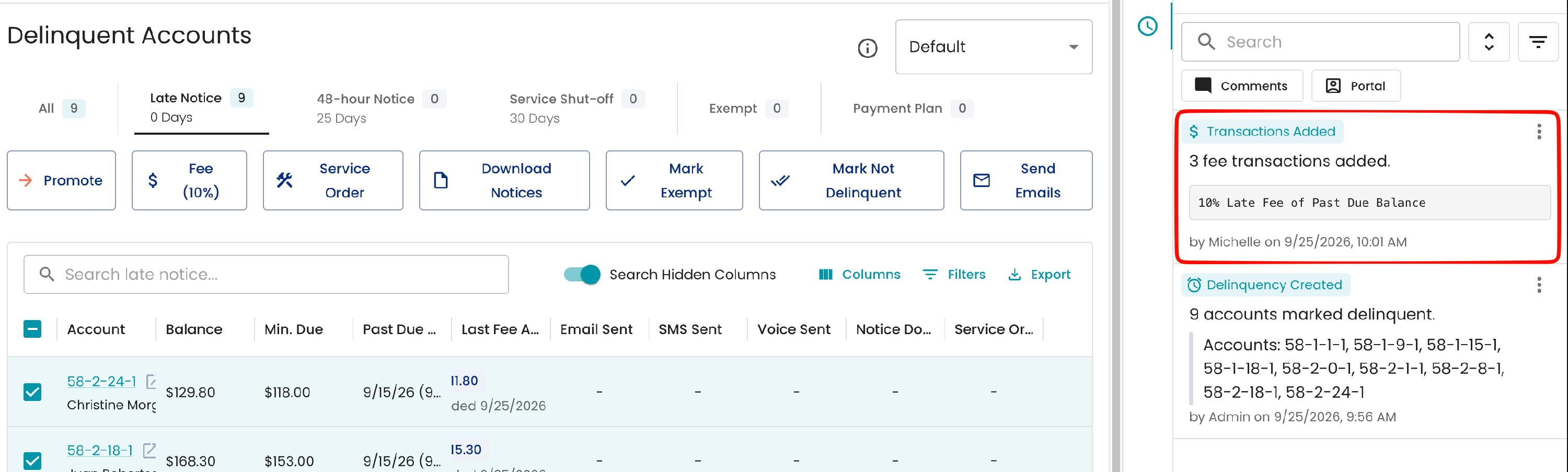
- Find the activity for the fees you want to undo. It reads like "25 fee transactions added."
-
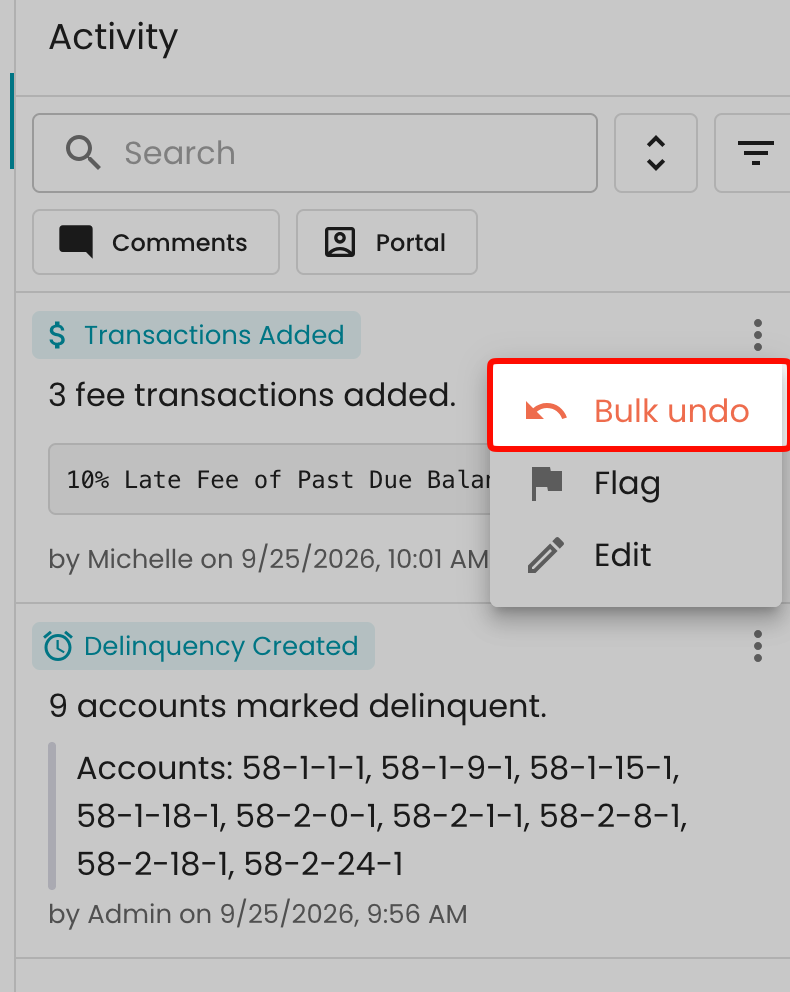
Click the three-dot menu on that activity and choose Bulk undo. A confirmation will appear with a summary of what will be undone or adjusted.
-
In the Bulk undo fees window, review the summary: how many fees will be deleted, how many will be adjusted to $0, and any excluded fees.
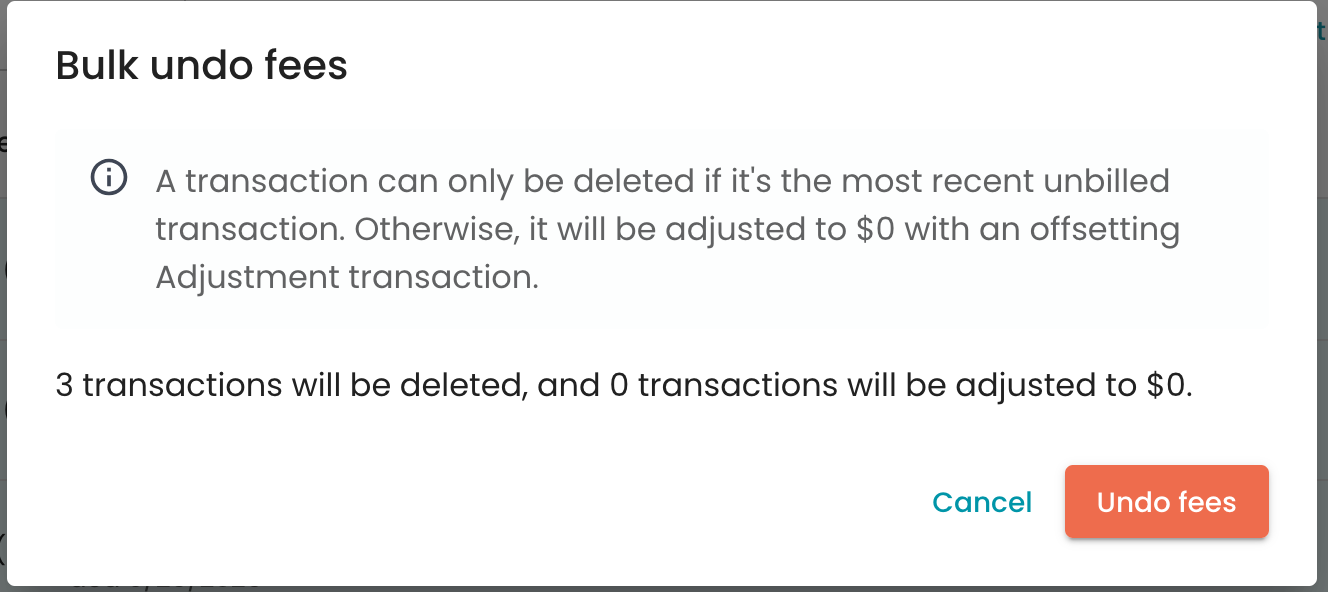
- Click Undo fees. Keep the window open until it finishes.
- Review the results, then click Close.

What happens after
Each fee is removed in one of two ways, depending on where it sits on the account:
| If the fee is… | It is… |
|---|---|
| The most recent transaction on the account and not yet billed | Deleted |
| Billed, or followed by other transactions | Adjusted to $0 with an offsetting adjustment |
Either way, the customer no longer owes the fee. Adjusting keeps the account history and bills accurate.
The results show how many fees were undone, skipped and failed. Any failures are listed by transaction with the reason.
The activity log records it as "transactions bulk undone from delinquency activity" under your name.

FAQ
I don't see Bulk undo. It's only available to admins, and only on activities that added transactions, such as "fee transactions added."
Bulk undo is grayed out. None of the fees in that activity can be undone. They may already be adjusted or no longer exist.
Can I undo the fee for just one account? Bulk undo covers the whole activity. To remove a single fee, adjust it from that account's Transactions table.
Will this move accounts back a delinquency stage? No. Only the fees are undone. Use Demote from the Delinquency page if you also need to change an account's stage.
Some fees were skipped or failed. The results window lists each one with the reason. Skipped fees were already adjusted or no longer exist. For failures, adjust those fees from the account.