Automatic Charges
Automatic charges are fees and deposits that Current adds to an account for you when something specific happens, like a payment being returned or a paper bill being sent. You choose which charge to use for each one, and Current adds it every time, so no one has to remember to do it by hand.
You'll find them under Settings → Charges → Automatic charges.
The automatic charges
| Charge | When it's added |
|---|---|
| Move-in Fee | To the new account when it's created during a service transfer |
| Deposit | To the new account when it's created during a service transfer |
| Returned Payment Fee | When an ACH payment is returned by the bank, or when a payment is marked returned from the Transactions menu |
| Paper Bill Fee | During billing, for each contact on the account who receives a paper bill |
| Payment Processing Fee | Not charged to customers. It labels the processing fees and credits that are recorded when your organization absorbs card or ACH fees, so they're categorized correctly in reports |
Each charge is optional. If a field is left blank, nothing is added.
How to set up an automatic charge
Each automatic charge uses a transaction subtype, and the fee amount comes from that subtype's default amount. Make sure the subtype exists and has an amount before you choose it.
-
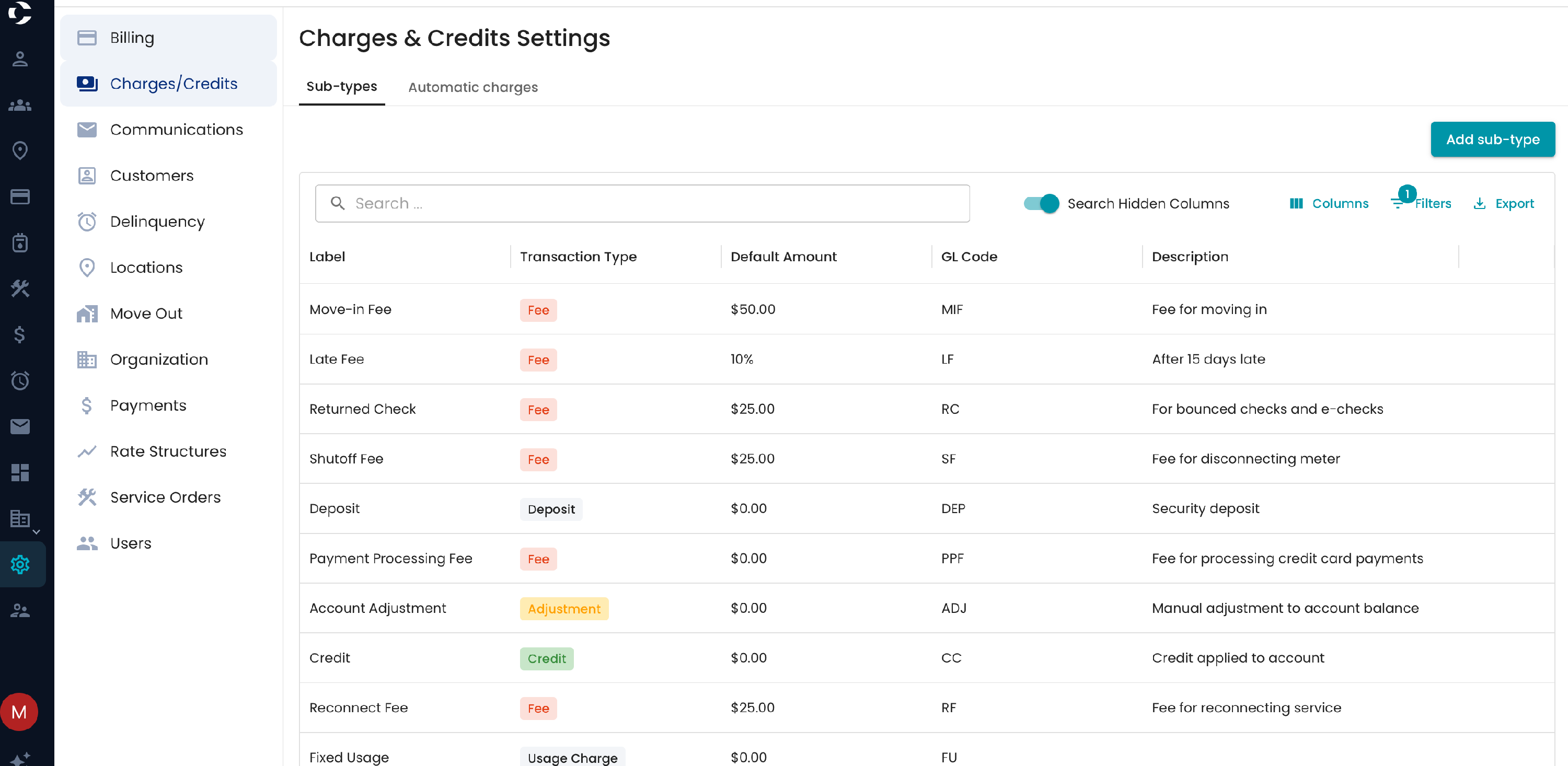
Go to Settings → Charges and open the Sub-types tab. Create or edit the subtype for the fee, such as "Returned Payment Fee – $25," and set its default amount. See Creating Transaction Subtypes for details.
- Open the Automatic charges tab.
-
For each charge you want, choose the subtype from its dropdown. To stop a charge, clear the field.
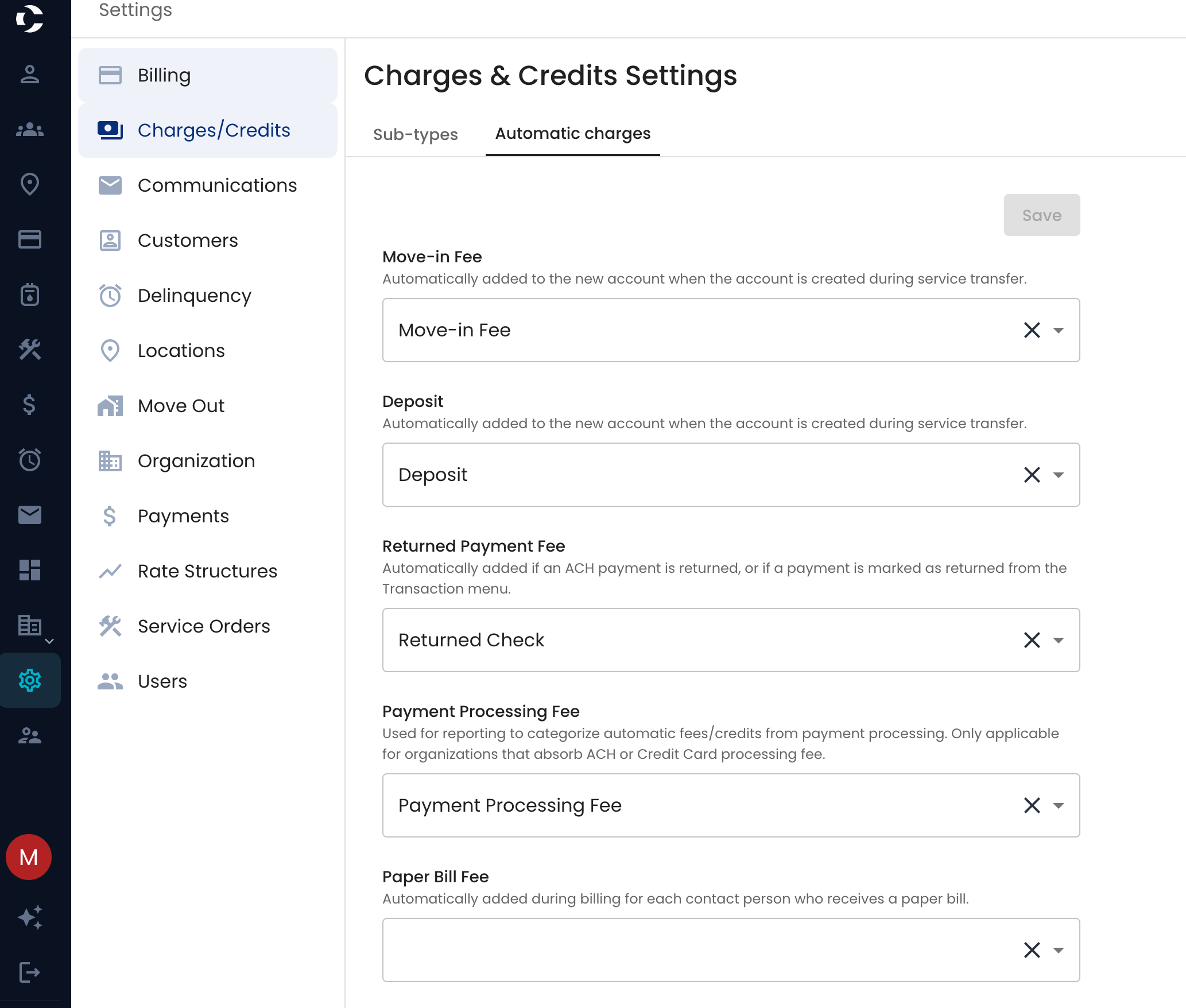
- Click Save. A "Successfully updated organization preferences" message confirms the change, and it's recorded in the activity log.
Changes apply from then on. Charges already added to accounts aren't changed.
FAQ
The fee was added for $0. The subtype you chose doesn't have a default amount. Add one on the Sub-types tab.
How do I change the amount of a fee? Edit the subtype's default amount on the Sub-types tab. The new amount is used the next time the fee is added.
A customer wasn't charged a returned payment fee. Check that a subtype is chosen for Returned Payment Fee. The fee is only added when a payment is returned after the setting is saved. See How to Mark a Payment Returned.
Why was the paper bill fee added twice on one account? It's added once for each contact on the account who receives a paper bill. Switch extra contacts to email bills if they don't need a paper copy.
Can I remove an automatic fee from one account? Yes. Undo or adjust the fee from that account's Transactions table, like any other charge.