How to Mark a Payment Returned
Mark payment returned records a payment that bounced or was sent back by the bank, such as a check returned for insufficient funds. It adds the payment amount back to the customer's balance, so the account shows what they still owe.
It doesn't move any money. It only updates the account in Current to match what happened at the bank.
When to use it
Use it for any payment the bank didn't honor: a bounced check, a stopped payment, or an ACH payment the bank sent back. It's available on every payment in the account's Transactions table.
A payment can only be returned once, and not after it's been adjusted.
For a card or bank payment made online that you want to send back to the customer, use Refund payment instead. That returns the money through the payment processor.
How to mark a payment returned
- Open the customer's account and go to the Transactions table.
-
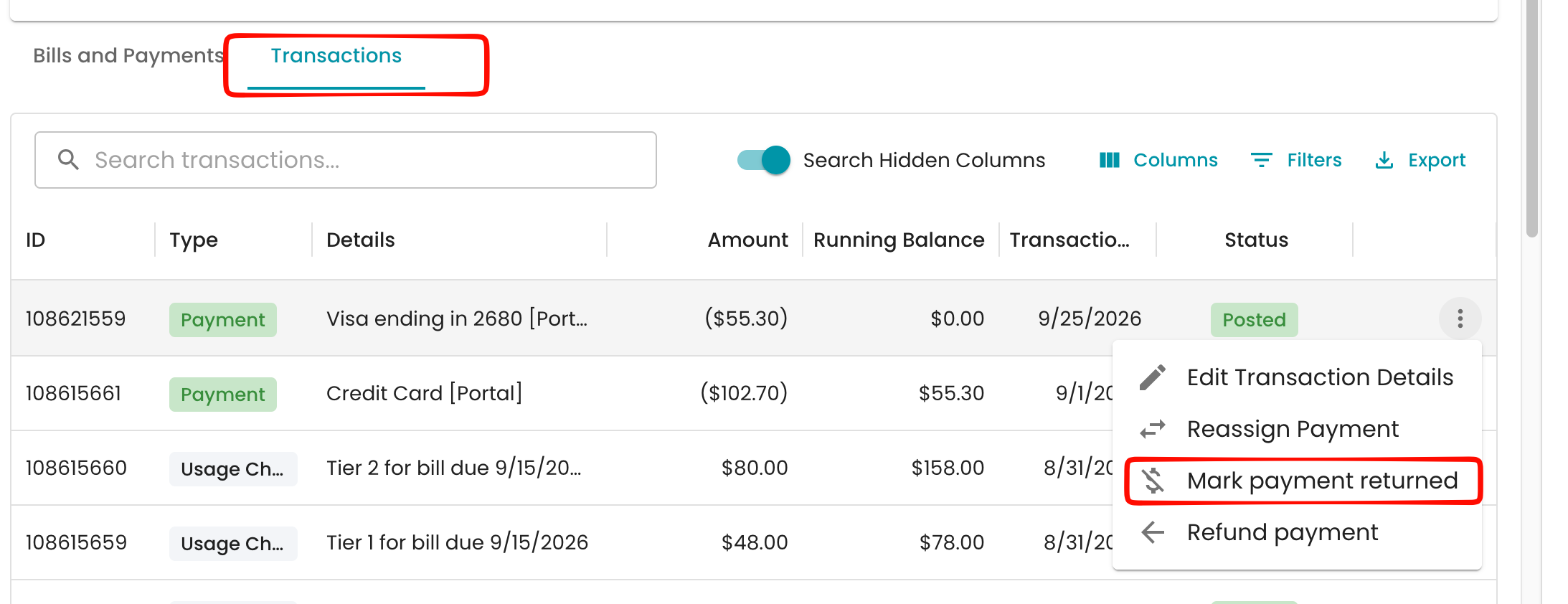
Find the payment, click its three-dot menu, and choose Mark payment returned.
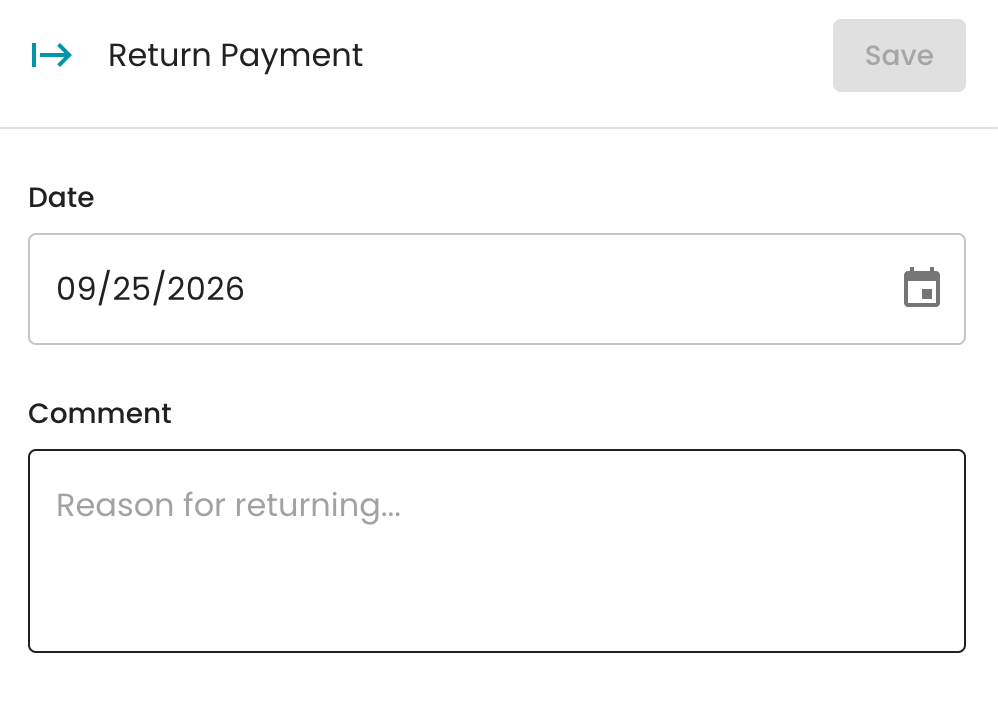
- In the Return Payment panel, set the Date the payment was returned (today by default).
-
Enter a Comment with the reason, such as "NSF – returned by bank." A comment is required.
- Click Save. A "Payment marked as returned" message confirms it worked.
What happens after
- A payment return is added to the account, labeled like "Check Payment Returned," for the same amount as the original payment. The customer's balance goes back up by that amount.
- A returned check fee is added automatically, if your organization has one set up under Settings → Charges → Automatic charges → Returned Check Fee.
- The payment batch is updated. If the payment came in through a batch, the batch totals are recalculated to reflect the return.
- The activity log records it as "Payment of $X returned on [date]" with your comment.
The original payment stays on the account, so you keep a full history of what was received and returned.
FAQ
The panel says "This transaction was already returned." The payment has already been marked returned. The panel lists the payment return ID.
The panel says "This transaction was already adjusted." The payment was adjusted earlier, for example to fix the amount or move it to another account, so it can't also be returned. Review the adjustment listed in the panel.
Can I charge a returned check fee? Yes. Set up a Returned Check Fee under Settings → Charges → Automatic charges, and it's added each time a payment is marked returned. You can also add a fee by hand from the account.
What's the difference between returning and refunding? Mark payment returned records money you never received, like a bounced check. Refund payment sends money you did receive back to the customer through the payment processor.
I marked the wrong payment returned. An admin can choose Undo from the payment return's three-dot menu, as long as it's the most recent transaction on the account and hasn't been billed yet. If a returned check fee was added after it, undo the fee first. Otherwise, adjust the payment return.