How to Archive a Rate Structure
Archive hides a rate structure you no longer use, so your rate structure list only shows the ones that matter. It replaces the old Delete option.
Nothing is lost. Archived rate structures keep their history, past bills aren't affected, and you can un-archive one at any time. You can also archive a single version of a rate structure, such as a scheduled rate change you no longer need.
Before you archive
- Admins only. Other users won't be able to archive or un-archive.
- Not in use. A rate structure can't be archived while any active service still uses it. Move those services to another rate structure first. See View and Edit a Service on a Location.
How to archive a rate structure
From the rate structure list
- Go to Settings → Rate Structures.
-
On the rate structure's row, click the Archive icon.
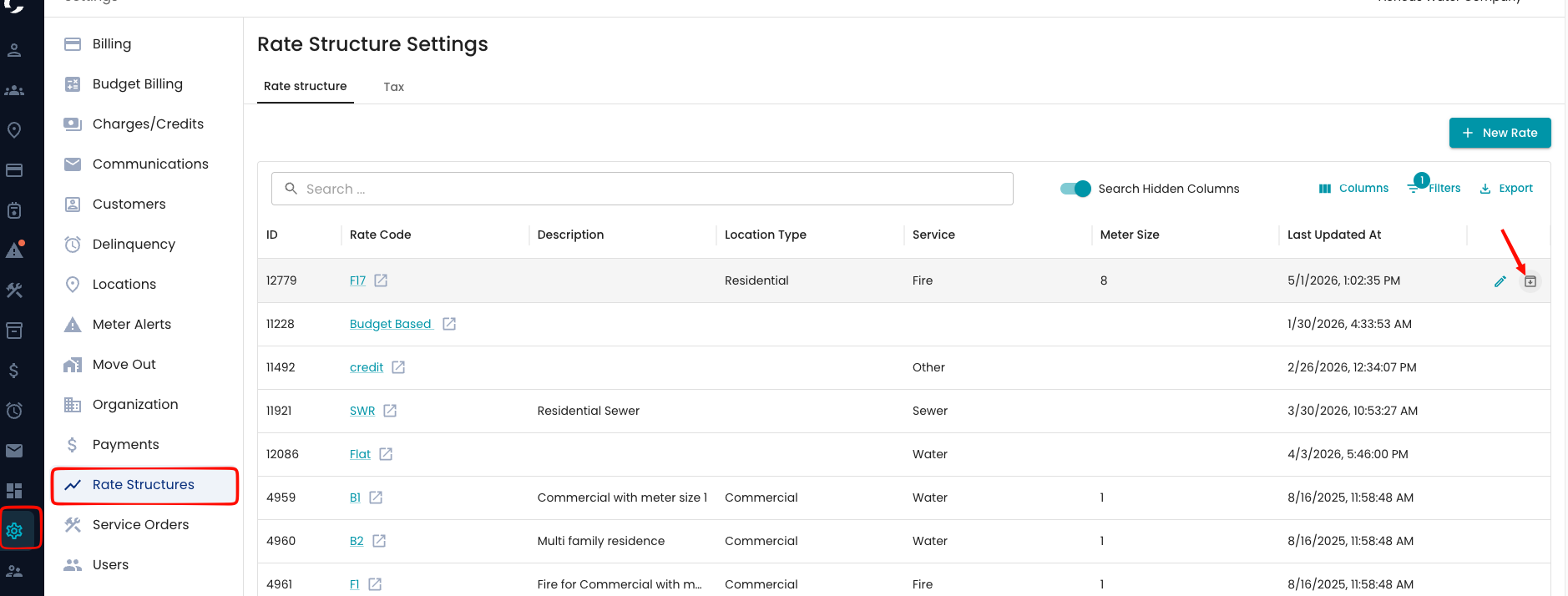
- Click Archive to confirm. A "Rate structure archived" message appears, and the rate structure disappears from the list.
From the rate structure page
- Open the rate structure.
-
Click the three dots at the top of the page and choose Archive.
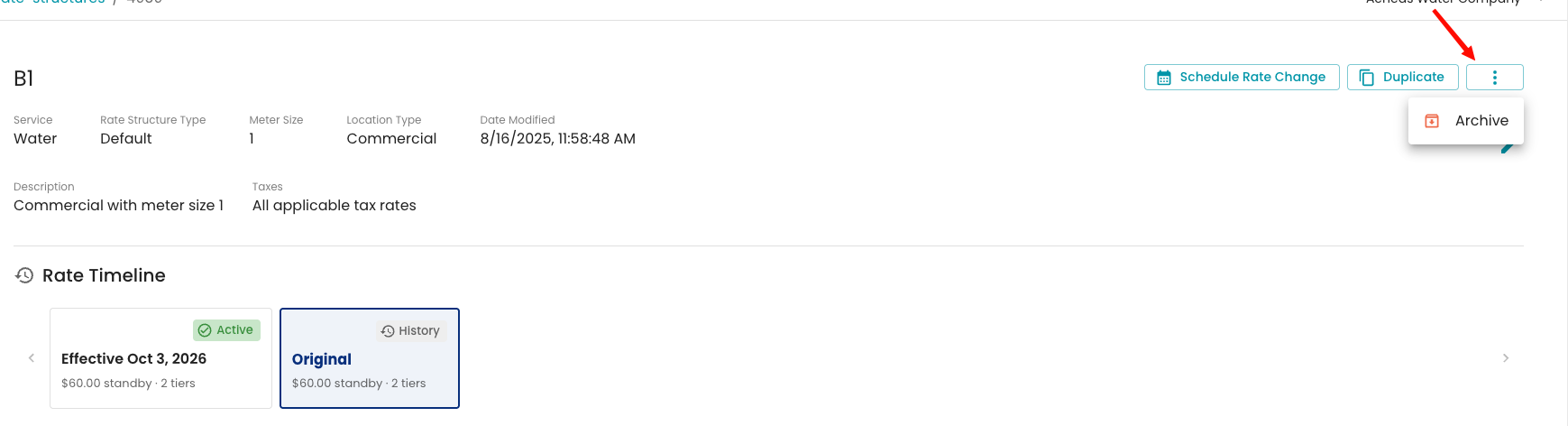
- Click Archive to confirm. You're taken back to the rate structure list.
Archiving a single version
To archive one version, such as a scheduled rate change you no longer need, without archiving the whole rate structure:
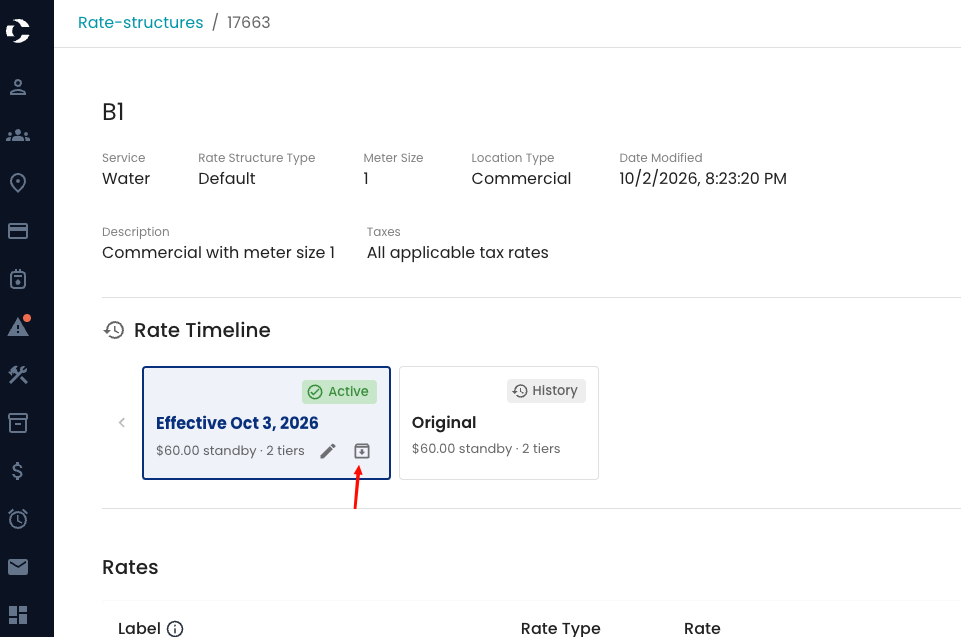
- Open the rate structure and find the version in the Versions list.
-
Click Archive on that version, then Archive again to confirm.
Viewing and un-archiving
Rate structures
The rate structure list hides archived rate structures by default with an Archived is false filter. To see them:
- On Settings → Rate Structures, remove the Archived filter, or change it to show archived rate structures.
-
Archived rows show View and Un-archive actions.
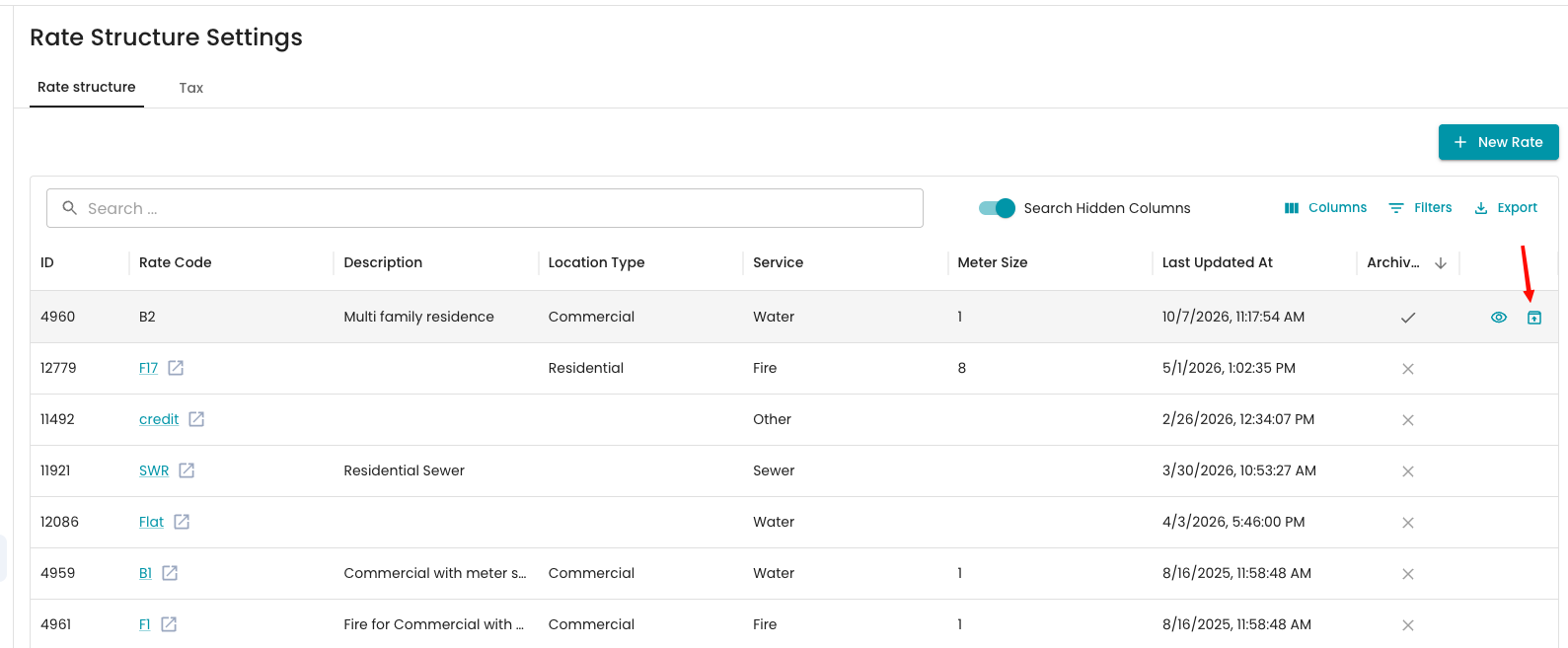
- Click Un-archive to bring it back. A "Rate structure unarchived" message confirms it, and it returns to the list.
Versions
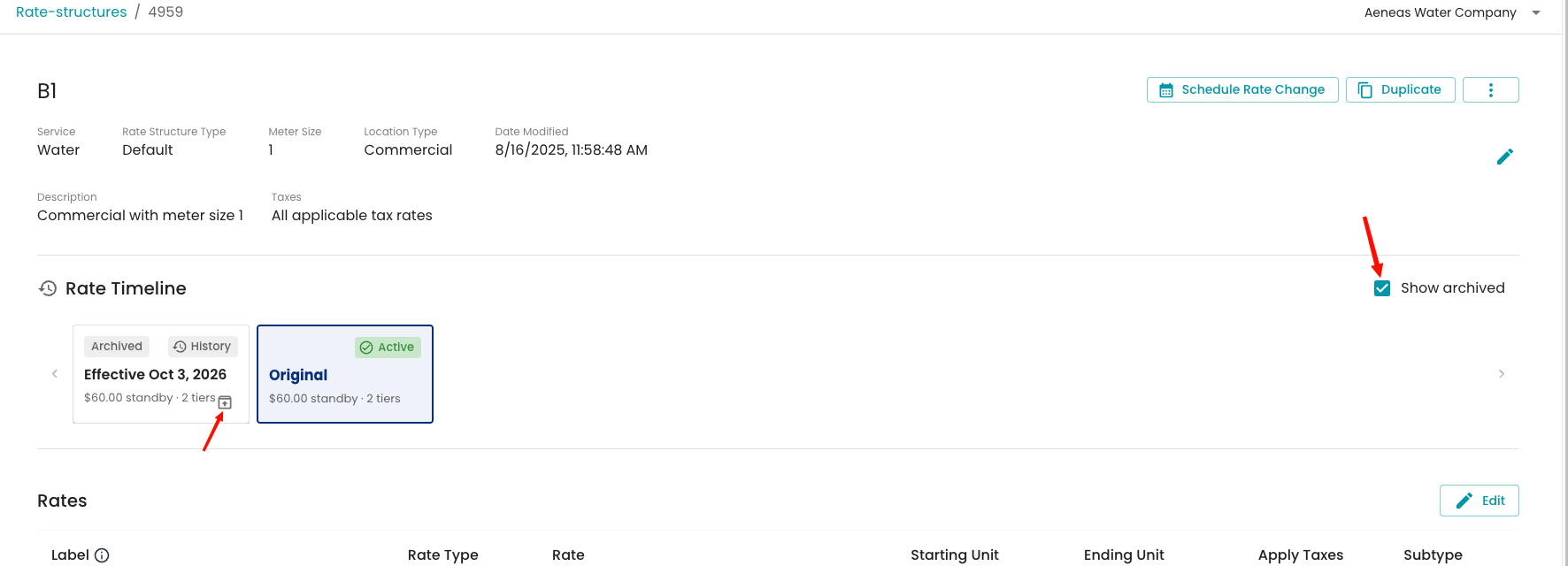
- Open the rate structure and turn on Show archived above the Versions list.
-
Click Un-archive on the version. A "Rate version un-archived" message confirms it.
Archiving and un-archiving are both recorded in the activity log.
FAQ
I got "This rate structure is in use by at least one active service and cannot be archived." At least one active service still uses it. Move those services to a different rate structure, then try again.
What happened to the Delete option? Archive replaced it. Archiving keeps the rate structure's history and lets you bring it back later.
Will archiving change past bills? No. Bills that already used the rate structure stay the same.
I can't un-archive a version. If you see "An active version already uses this effective date," another active version has the same effective date. Change or archive that version first, then un-archive this one.
Can I assign an archived rate structure to a service? No. Un-archive it first.