How to Edit Bill Dates
Edit Bill Details lets you correct a posted bill's Billing Start Date, Billing End Date or Due Date, for example when the wrong service period or due date went out on a billing cycle.
It only changes those dates. It doesn't recalculate charges, usage, late fees or delinquency. To change amounts, use Adjust Bill instead.
Which bills can be edited
- Any posted bill, not just the most recent one. Adjust Bill and Undo only work on the latest bill, but Edit Bill Details works on older bills too.
- Admins and billing users. Read-only roles, such as Auditor, can't save changes.
How to edit bill details
- Open the account and go to the Billing & Consumption tab, then Bills and Payments.
-
Find the bill, click its three-dot menu, and choose Edit Bill Details.
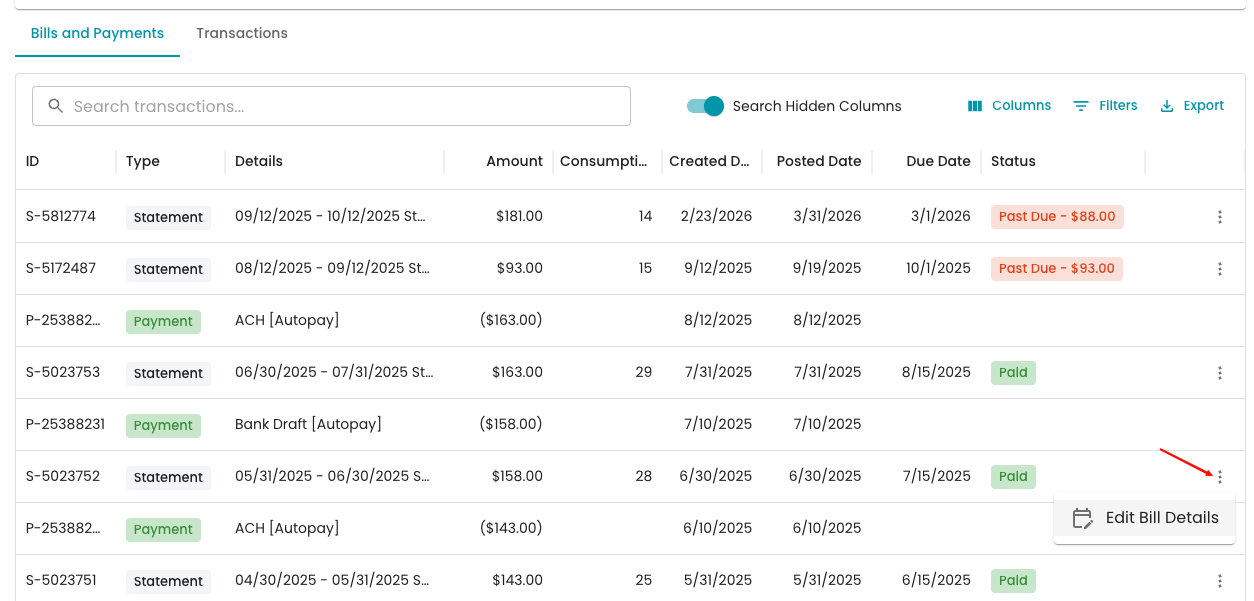
- In the Edit Bill Details panel, change the Billing Start Date, Billing End Date or Due Date.
-
Enter a Reason for the change. A reason is required.
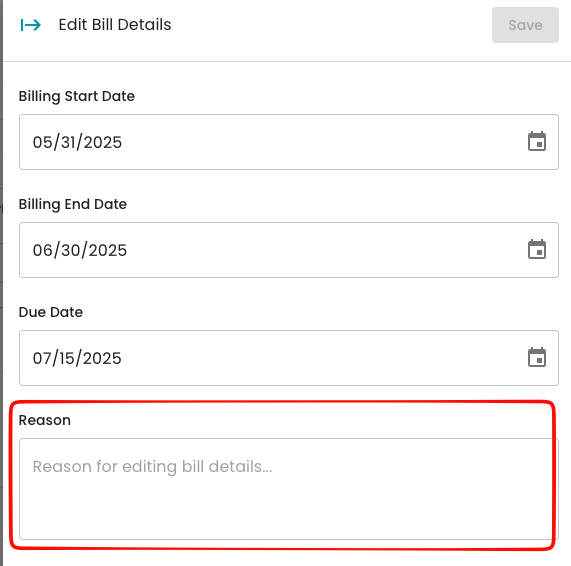
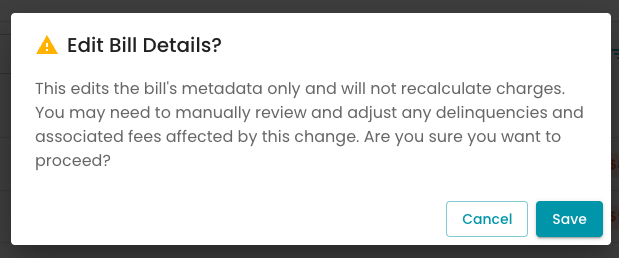
- Click Save, then click Save again in the confirmation window.
-
- A "Bill details updated successfully" message confirms the change.
What happens after
- The new dates are saved to the bill and show in the Bills and Payments table.
- Nothing is recalculated. Charges, usage, the amount due and any late fees stay the same.
- Delinquency isn't updated automatically. If you moved the due date, review any late fees or delinquency steps that were based on the old date, and adjust or undo them if needed.
- The customer isn't notified. Let them know if the due date changed.
- The activity log records it as "Updated details for bill #[number]" with each old and new date and your reason.
Changed a due date? Late fees already added for the old date stay on the account. See Bulk Undo Delinquency Fees if you need to remove them.
FAQ
The Save button is grayed out. Change at least one date first. You'll also need to enter a reason before you can save.
Will the bill amount change if I change the billing period? No. Charges and usage aren't recalculated. To correct amounts, use Adjust Bill on the most recent bill, or see How to Adjust a Bill with a Corrected Meter Read.
Can I edit bill details for a whole billing cycle at once? No. Edit Bill Details works one bill at a time.
Where can I see what was changed? In the account's activity feed. The entry lists the old and new dates and the reason.