Sending SMS/Voice/Email from DQ
To send SMS/Voice/email to delinquent accounts via the Delinquency page, please ensure that you have the settings enabled in your Delinquency settings so you can send these notifications.
See setup here https://current.helpscoutdocs.com/article/28-how-to-add-a-delinquency-rule
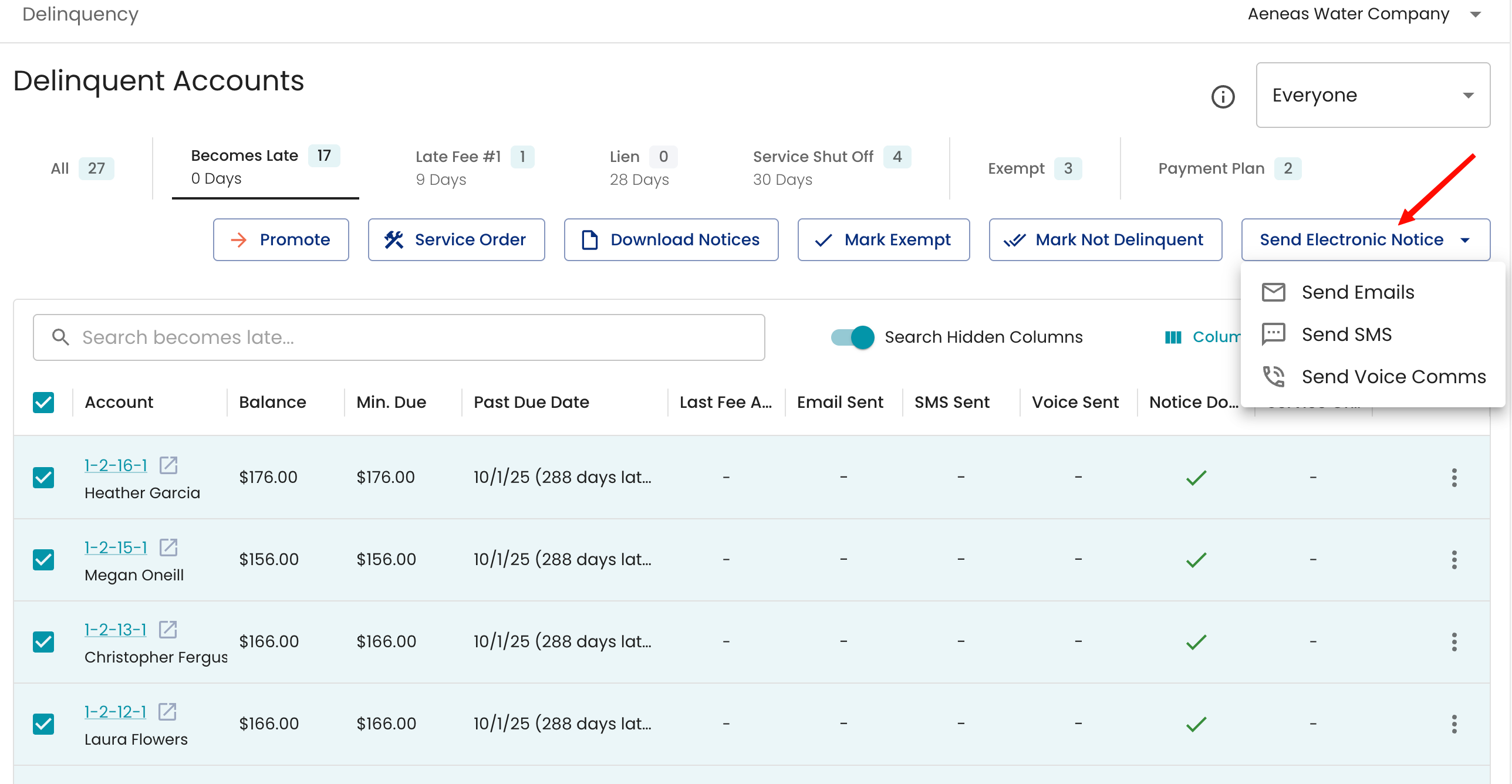
Once the setup has been completed, navigate back to your delinquency page and find the step that contains the notice. You will see a “Send Electronic Notice” button and a drop-down menu with the options to choose from, if configured.
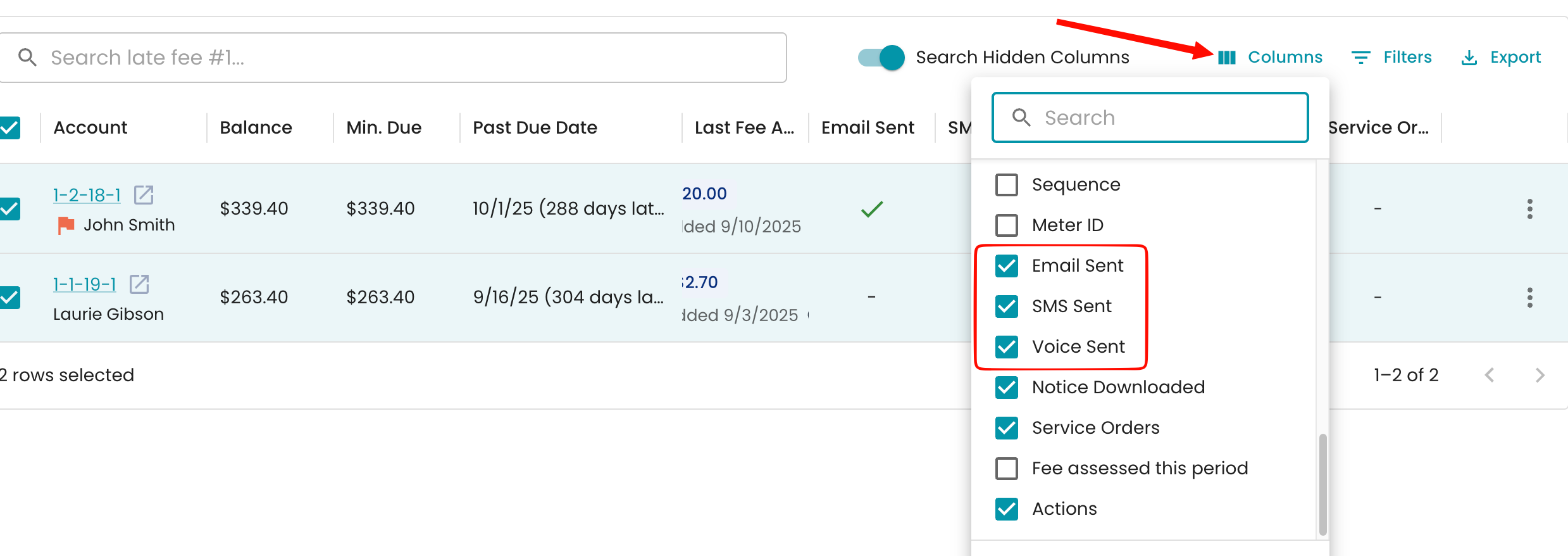
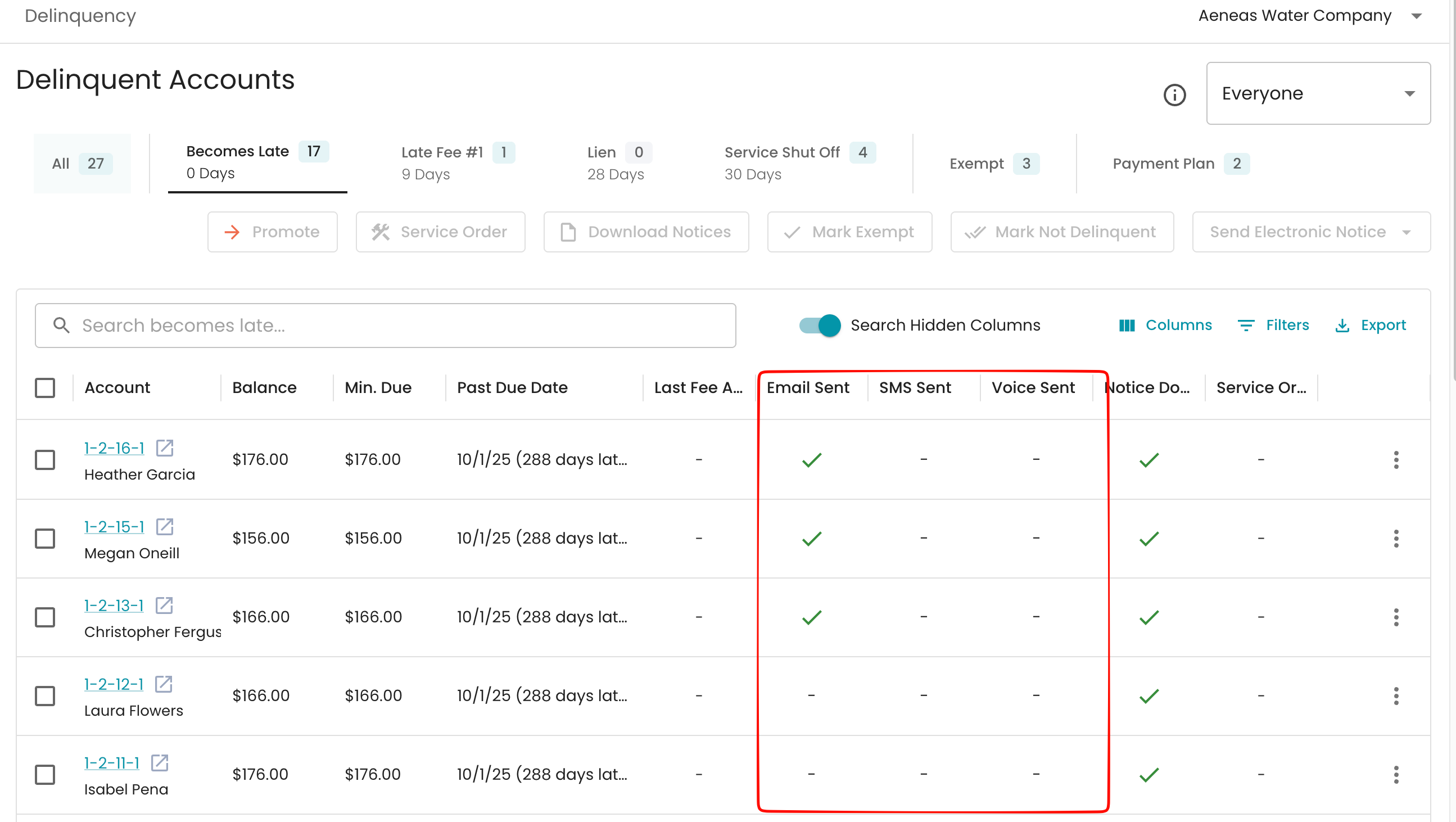
Once you have sent out the notices, you will see the confirmation in the page with green check marks. To enable this view, select the column option and select Email Sent , SMS Sent and Voice Sent option to view it.